
Quick answer
HeyGen is an AI video platform built around avatar presenters, voice cloning, and localization. It is best for businesses that need presenter-led videos in multiple languages, and less suited for raw, low-polish UGC-style ads. For the concept itself, see what is an AI avatar.
30-second verdict
HeyGen turns scripts, images, and documents into avatar-led videos with AI voices and lip-sync. Its strongest features are localization, translating a video into multiple languages while keeping the same avatar, and custom avatar creation from a photo or short recording.
- Best for: localized product demos, founder-style explainers, training and onboarding videos, presenter-led ads.
- Not the best fit for: deliberately raw, phone-shot UGC-style ads where polish would hurt authenticity.
- Compares closely to: Synthesia for business presenter video, and to Arcads or Creatify if the goal is creator-style paid social ads.
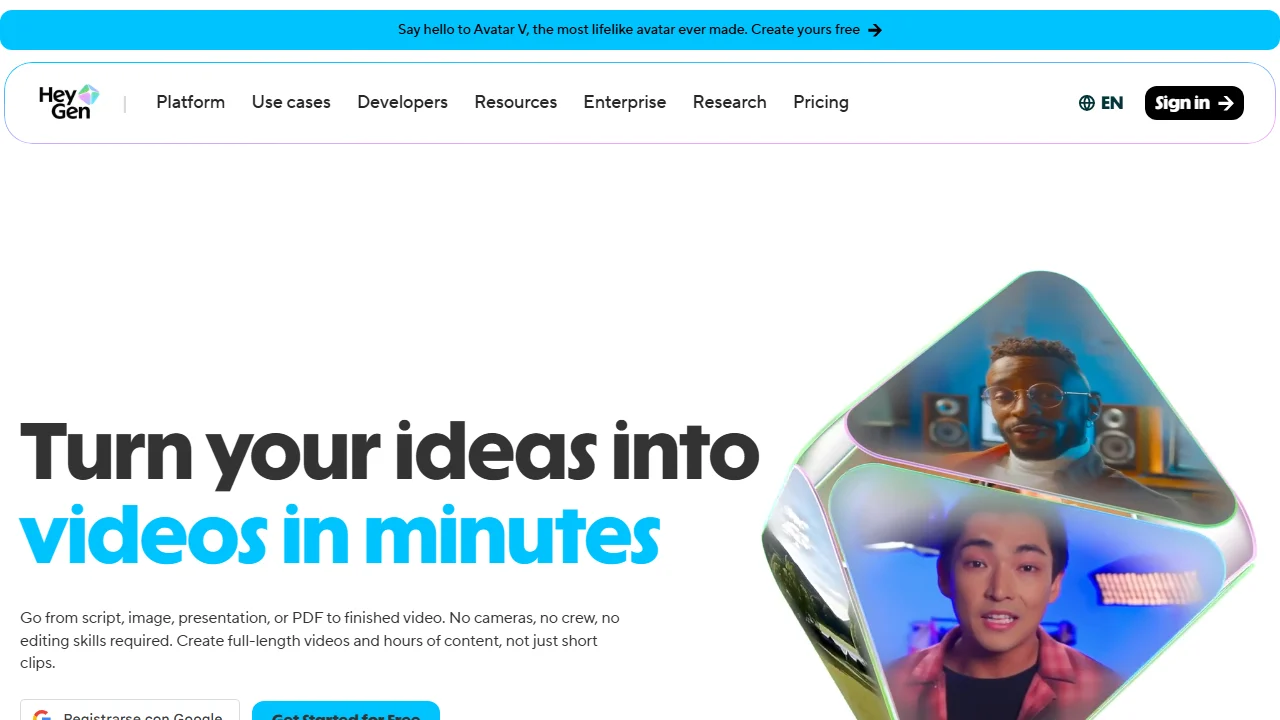
HeyGen homepage checked on June 8, 2026. This screenshot is used to confirm its presenter and localization positioning.
What is HeyGen?
HeyGen is an AI video generation platform that converts text, scripts, slides, and documents into videos featuring AI avatars. Users can choose from a library of stock avatars or create a custom avatar based on their own photo or short video recording, then generate speech in multiple languages and voices.
The core workflow is: write or paste a script, choose an avatar and voice, generate the video, then edit captions, scenes, and pacing before exporting.
Key features
Avatar library and custom avatars
HeyGen offers a library of stock presenters across different styles, plus the option to create a custom avatar from a photo or short recording, with consent confirmation built into the setup.
AI voices and voice cloning
The platform includes a range of AI voices in multiple languages and accents, along with voice cloning options on higher plans for a more personalized presenter.
Translation and localization
One of HeyGen’s most distinctive features is video translation: you can take an existing video and generate localized versions in other languages while keeping the avatar’s lip movements synced to the new audio.
Script and document import
You can generate a video directly from a script, a slide deck, or a document, which speeds up turning existing content like a PDF guide or a presentation into video.
Templates and editing
HeyGen includes templates for common formats such as explainers, social clips, and product videos, along with a timeline editor for captions, scenes, and basic adjustments.
Pricing
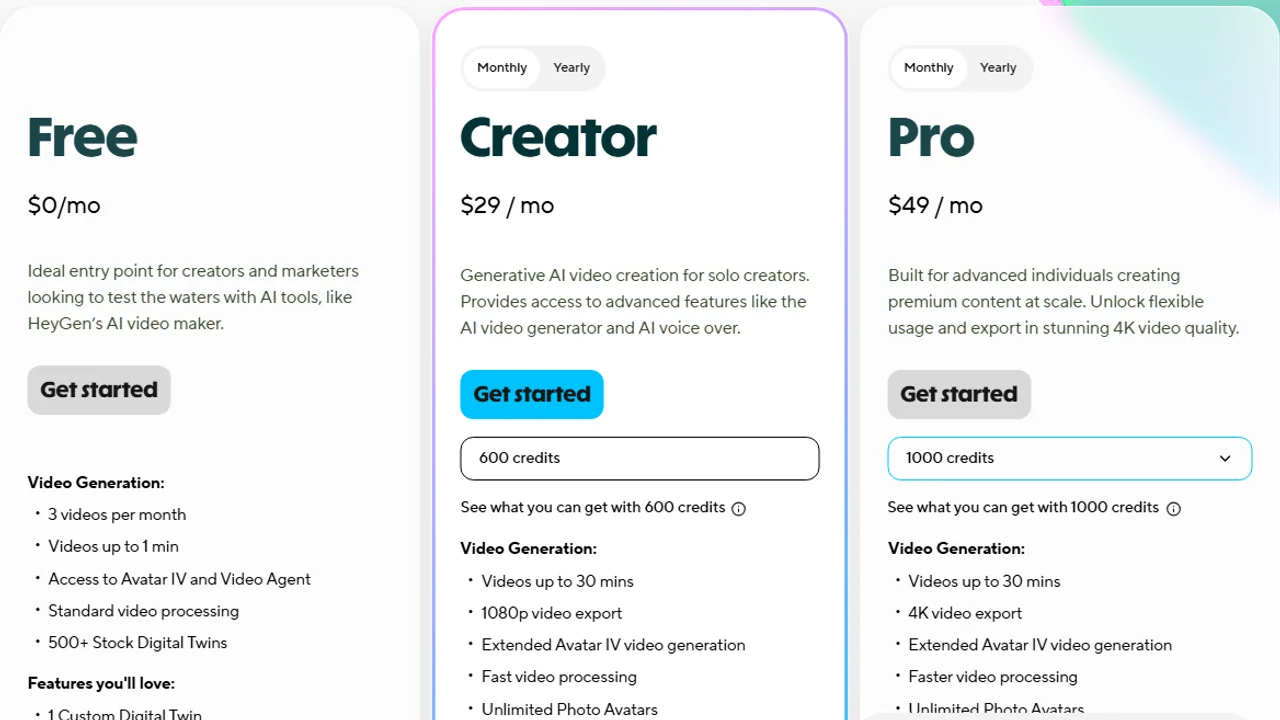
HeyGen pricing page checked on June 11, 2026. Plans and limits may change after publication.
Pricing checked: June 11, 2026. At the time of checking, HeyGen listed:
| Plan | Price context (checked June 11, 2026) | Typical fit |
|---|---|---|
| Free | Free tier reviewed | Testing the interface and avatar quality with limited credits |
| Creator | Entry paid tier | Solo creators and small businesses making regular videos |
| Pro | Higher paid tier | Teams needing more credits, avatars, and export options |
| Business | Team paid tier | Teams needing collaboration, brand assets, SSO, and higher usage |
| Enterprise | Contact sales | Larger teams needing API access, security, and custom avatars at scale |
Prices, credits, video minutes, avatar limits, and plan features can change and may vary by region, currency, taxes, billing cycle, promotions, and account type, so verify current pricing on the official HeyGen site before buying.
Pros and cons
Pros
- Strong localization and translation features for selling into multiple markets.
- Custom avatar creation from a photo or short recording.
- Wide range of AI voices and languages.
- Useful for turning existing scripts, slides, or documents into video quickly.
- Free plan available for testing avatar and voice quality before paying.
Cons
- Output can look polished, which is not always ideal for raw UGC-style ads.
- Credit-based limits on lower plans can restrict how many videos you can generate per month.
- Custom avatar quality depends on the source photo or recording.
- Advanced features like voice cloning and API access are gated behind higher plans.
Who should use HeyGen
Good fit
- Businesses that sell into multiple countries and need localized video at scale.
- Founders and coaches who want a presenter-style avatar without filming every video.
- Teams turning existing decks, documents, or scripts into explainer videos.
- SaaS companies producing onboarding and training content.
Better to look elsewhere
- Brands that need deliberately raw, low-polish UGC-style ads for paid social. Compare Arcads or Creatify instead, covered in best AI UGC ad generators.
- Teams whose main need is product-led ecommerce video rather than a talking presenter, where best AI product video generators may be a better starting point.
HeyGen vs Synthesia
Both tools focus on avatar presenter videos, but with slightly different emphasis.
| Aspect | HeyGen | Synthesia |
|---|---|---|
| Strongest feature | Localization and translation of existing videos | Wide library of stock avatars and templates for business video |
| Custom avatars | Yes, from photo or short recording | Yes, with personal avatar options on higher plans |
| Best for | Multilingual presenter content, fast script-to-video | Structured business presenter videos, training, SaaS explainers |
| Free plan | Yes, limited | Yes, limited |
If localization across languages is the priority, HeyGen’s translation feature is the more distinctive advantage. If the priority is a large library of polished business templates, Synthesia is worth comparing directly.
Final verdict
HeyGen is a strong choice when the brief calls for a presenter avatar, multiple languages, or turning existing scripts and documents into video quickly. The translation feature in particular stands out for brands selling across regions.
It is a weaker fit when the goal is raw, creator-style UGC for paid social, where a more deliberately imperfect format usually performs better. In that case, pair HeyGen with tools built specifically for UGC-style ad variations, or skip presenter avatars entirely.
FAQs
Is HeyGen free to use?
HeyGen offers a free plan with limited credits, which is enough to test avatar and voice quality before committing to a paid plan.
Can I create an avatar of myself in HeyGen?
Yes. HeyGen allows you to create a custom avatar from a photo or short video recording, with a consent step during setup.
Does HeyGen support multiple languages?
Yes, HeyGen supports a wide range of AI voices and languages, and its translation feature can localize an existing video into other languages while syncing the avatar’s lip movements.
Is HeyGen good for TikTok or Instagram ads?
It can be used for ads, but its polished presenter style is often a better fit for explainers and demos than for deliberately raw UGC-style ad creative.
How does HeyGen compare to Arcads or Creatify?
HeyGen focuses on avatar presenters and localization, while Arcads and Creatify are more focused on creator-style and product-led ad variations for paid social. See best AI UGC tools for a broader comparison.
Pricing and features were accurate as of the date checked above and may have changed. Always confirm current details on the official HeyGen site before subscribing.