
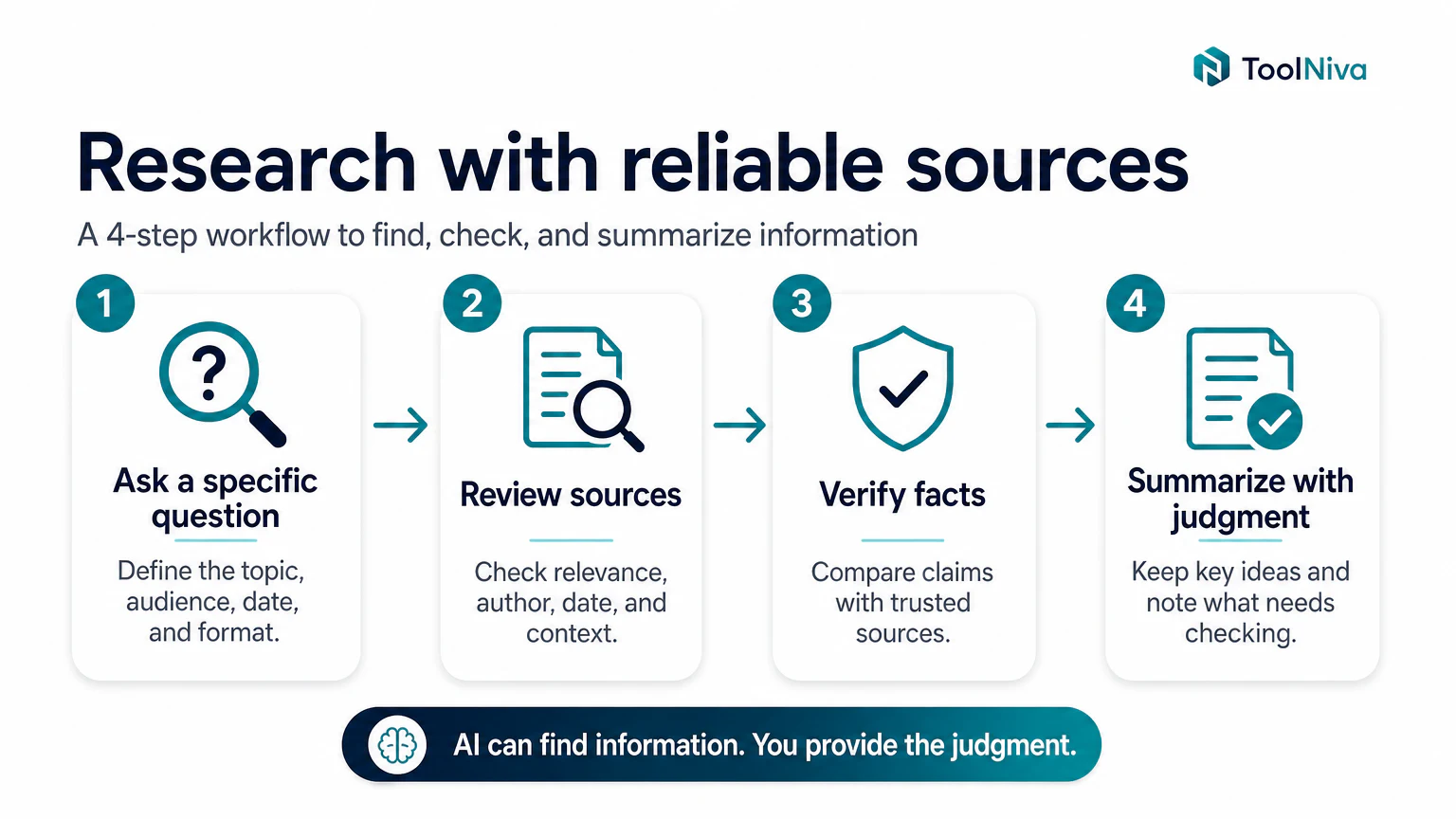
Quick verdict
Perplexity AI is useful when you need an answer with sources and do not want to open ten tabs from scratch. It does not replace your judgment, but it speeds up the first stage of research.
The right way to use it is simple: ask, inspect sources, request comparisons, save findings, and verify important data.
What Perplexity is good for
Perplexity works like a search engine with a synthesis layer. Instead of giving you only links, it tries to answer and show where the information comes from.
That makes it useful for:
- researching a new topic,
- comparing tools,
- preparing briefs,
- finding recent sources,
- validating content ideas,
- building a first map of a problem.
Recommended 5-step workflow
1. Start with a specific question
A weak question would be: “best AI tools.”
A better question would be: “what are the best ChatGPT alternatives for research with sources in 2026, and what limits does each one have?”
The clearer the task, the less generic the answer.
2. Check sources before trusting the summary
Do not stop at the summary. Open the main sources and check:
- publication date,
- author or organization,
- whether it is official documentation,
- conflicts of interest,
- whether the claim appears in more than one source.
3. Ask for a comparison table
After the first answer, ask for a criteria table. For example:
compare these tools by price, limits, privacy, ease of use, and best use case
Tables help reveal gaps. If a cell is vague, ask Perplexity to verify it.
4. Follow up by objection
Do not ask only “give me more.” Ask about objections:
- “which tool would you not recommend for students and why?”
- “which fact in this answer is most likely to be outdated?”
- “which sources should I check before publishing this?“
5. Save the result into a workflow
If you research many topics, organize searches by project. Perplexity becomes more useful when it is not just a one-off chat, but a research folder. If you plan to use Spaces for team or project workflows, check the current plan limits first because collaboration, file, and organization features can depend on Pro, Enterprise Pro, or regional account settings.
Useful prompts
| Goal | Prompt |
|---|---|
| Fast research | ”give me a summary with recent sources and separate facts from opinion” |
| Compare tools | ”create a table with price, limits, pros, cons, and best user” |
| Verify | ”which claims in this answer require a primary source?” |
| SEO writing | ”what related questions would someone search before paying for this tool?” |
Common mistakes
Copying the summary without opening sources
Perplexity can save time, but publishing without verification is a bad idea. Use the summary as a map, not as the final destination.
Asking questions that are too broad
Broad questions produce broad answers. For better results, include task, audience, date, and format.
Mixing research and writing
Perplexity is strong for finding and organizing information. For final writing, it usually helps to move the material into another tool or edit it yourself.
Perplexity free vs Pro
The free plan is usually enough to test the workflow. A paid plan makes sense if you research daily, upload files, use Spaces seriously, need more advanced searches, or want access to specific models.
Before paying, check current limits on the official page because they change often.
Related: see ChatGPT vs Claude for general work, and the best free ChatGPT alternatives if you are comparing tools.
FAQ
Does Perplexity replace Google?
Not completely. Think of it as an interface that speeds up research. For navigational searches, specific websites, and final verification, Google and direct sources still matter.
Is Perplexity better than ChatGPT for research?
For research with visible sources, it is often a more direct first test. ChatGPT may be better for turning that research into a plan, explanation, or draft.
Can I use Perplexity to write articles?
Yes, but its strongest value is research, structure, and verification. The final article should still include your own judgment, examples, and experience.