
Quick answer
Creatify turns product inputs, such as a link, image, or description, into short AI-generated video ad concepts. It is best for ecommerce teams that want fast product-led video drafts, and less suited for raw, presenter-led UGC testimonials.
30-second verdict
Creatify is built around a simple idea: give it a product URL, image, or description, and it generates short video ad concepts with AI avatars, voiceovers, and on-screen text, ready for testing on Meta or TikTok.
- Best for: ecommerce brands that want fast product-led video ad drafts and multiple creative variations.
- Not the best fit for: brands whose main goal is a raw, creator-style testimonial rather than a product-focused ad.
- Compares closely to: Arcads for UGC-style ads, and HeyGen or Synthesia for general-purpose avatar presenters.
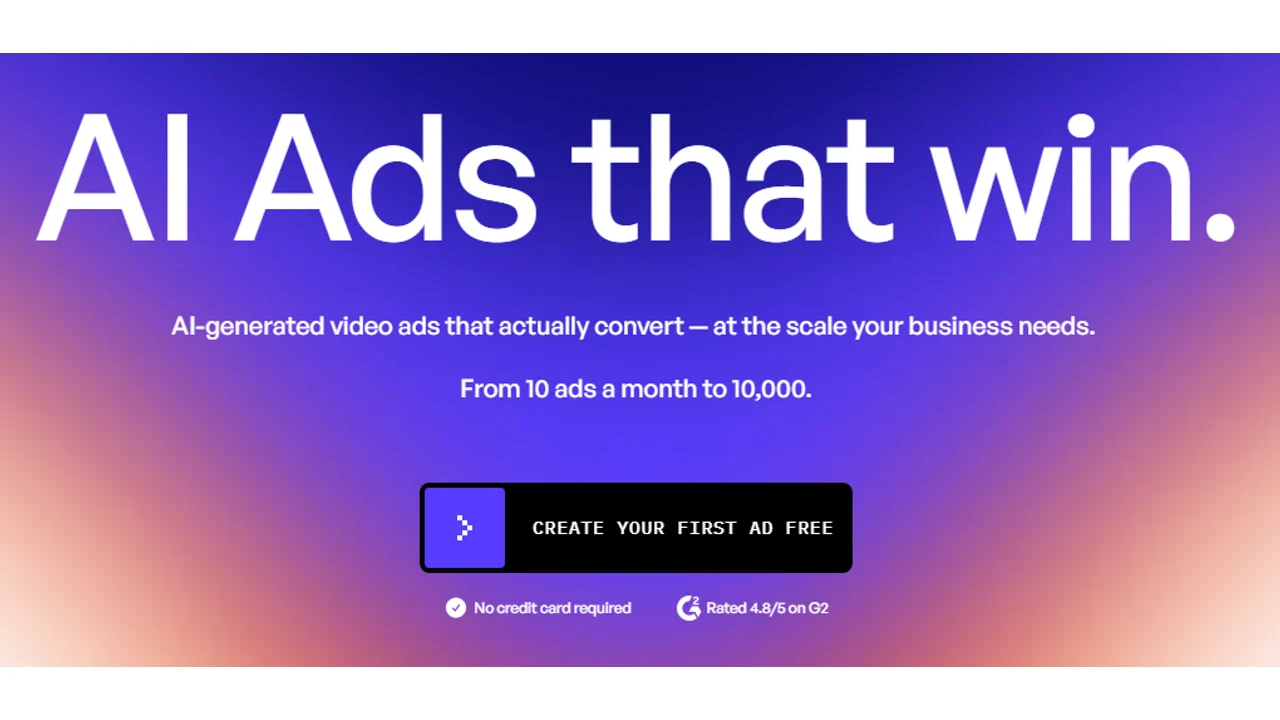
Creatify homepage checked on June 11, 2026. The screenshot supports its product-led AI video ad positioning.
What is Creatify?
Creatify is an AI tool that generates video ads from product information. You provide a product link, upload images, or describe the product, and the platform generates a script, selects an AI avatar or voiceover, and assembles a short video ad with on-screen text and product visuals.
The core workflow is: add a product, choose a script angle or let the AI generate one, select an avatar and style, generate the video, then review and export variations for testing.
Key features
Product-to-video generation
Creatify’s main feature is converting product inputs (links, images, descriptions) directly into video ad concepts, which removes the step of writing a script and storyboard from scratch for every test.
AI avatars and voiceovers
The platform includes AI presenters and voiceover options that read generated or edited scripts over product visuals, similar in concept to other avatar-based tools but oriented toward product ads.
Multiple ad variations
Creatify can generate several script angles or creative variations from the same product input, which is useful for testing different hooks and positioning without manual rewrites for each version.
Editing and customization
You can edit generated scripts, swap avatars or voices, and adjust on-screen text and visuals before exporting, rather than being limited to a single fixed output.
Built for paid social formats
Output is oriented toward short-form vertical video formats common on Meta and TikTok, rather than long-form business presentations.
Pricing
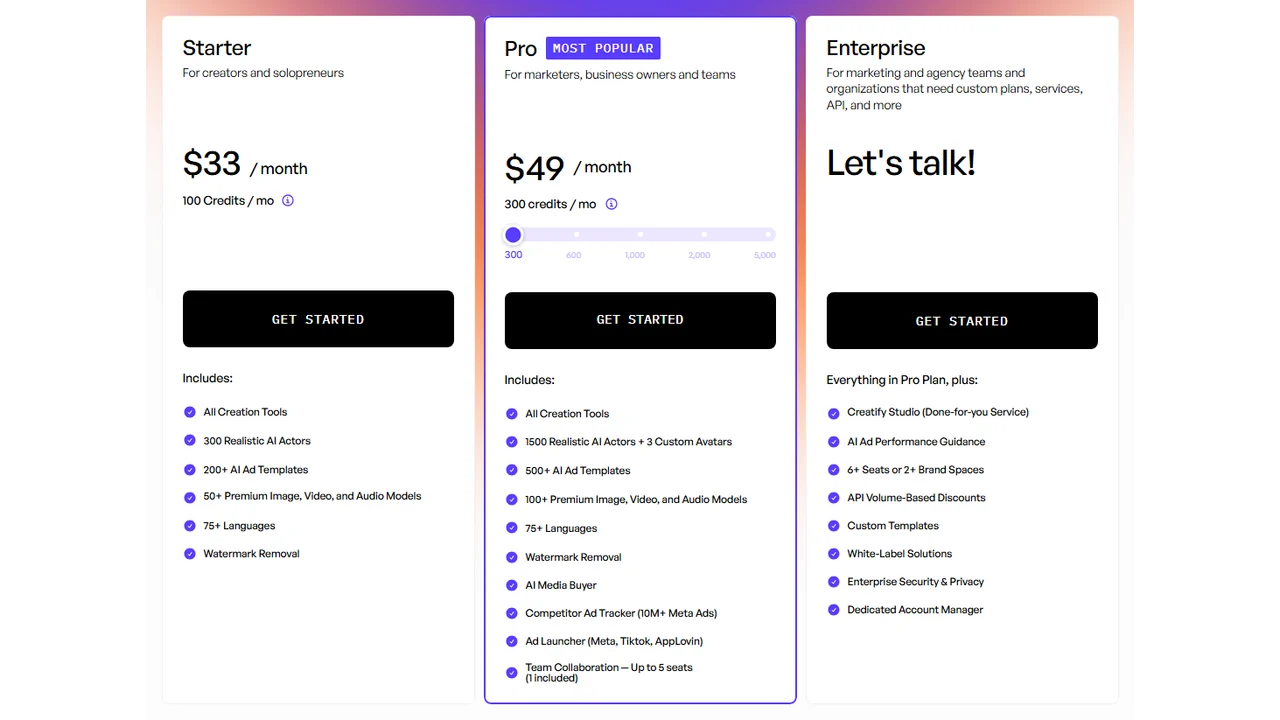
Creatify pricing checked on June 11, 2026. The page listed self-serve paid tiers and custom Enterprise pricing.
Pricing checked: June 11, 2026. At the time of checking, Creatify listed:
| Plan | Price context (checked June 11, 2026) | Typical fit |
|---|---|---|
| Free | Free tier reviewed | Testing the workflow with limited watermarked exports |
| Starter | Entry paid tier | Small ecommerce brands testing a handful of products |
| Pro | Higher paid tier | Growing brands needing more credits, actors, templates, and team features |
| Enterprise | Custom pricing | Larger teams needing API access, custom templates, services, and higher volume |
The free plan was listed with a limited monthly credit allowance, while paid tiers increased credits and feature access. Prices, credits, AI actor access, template limits, ad guidance, API discounts, and enterprise terms can change and may vary by region, currency, taxes, billing cycle, promotions, and account type, so verify current pricing on the official Creatify site before buying.
Pros and cons
Pros
- Fast turnaround from product input to a usable video ad draft.
- Generates multiple script angles and variations from one product.
- Output format is built for short-form paid social (Meta, TikTok).
- Useful for ecommerce teams without an in-house video production setup.
- Editable scripts and avatars rather than a single locked output.
Cons
- Output leans more toward a polished product ad than a raw creator testimonial.
- Quality of the generated script and angle still needs human review for accuracy and brand voice.
- Avatar realism and pacing can vary and should be checked before publishing.
- Plans are credit or volume-based, so heavy testing across many products can require a higher tier.
Who should use Creatify
Good fit
- Ecommerce brands that want to turn a product catalog into video ad drafts quickly.
- Teams running frequent creative tests across multiple products and angles.
- Marketers who want a starting point for video ads without scripting and filming from scratch.
Better to look elsewhere
- Brands whose main goal is a raw, creator-style testimonial ad rather than a product-focused video. Compare Arcads, covered in best AI UGC ad generators.
- Teams needing avatar presenters for explainers, training, or localization rather than product ads, where HeyGen or Synthesia may fit better.
Creatify vs Arcads
Both tools generate AI video ads, but with different starting points.
| Aspect | Creatify | Arcads |
|---|---|---|
| Starting point | Product link, image, or description | Script and avatar/presenter selection |
| Output style | Product-led video ad | Creator-style UGC ad |
| Best for | Ecommerce product ads, catalog testing | Presenter-led hooks, UGC-style variations |
| Editing | Edit script, avatar, visuals, text | Edit script, presenter, hooks |
If your starting point is a product you want turned into an ad, Creatify is the more direct workflow. If your starting point is a script or hook you want a creator-style presenter to deliver, Arcads is closer to that job. See Arcads vs Creatify for a side-by-side comparison.
Final verdict
Creatify is a practical tool when the brief starts with a product and the goal is a short video ad draft for testing. Its main strength is speed: turning product inputs into multiple creative angles without a manual production process for each one.
It is a weaker fit when the goal is a raw, trust-driven testimonial, or when the main need is an avatar presenter for non-product content like explainers or training. In those cases, pair Creatify with a UGC-focused tool or an avatar tool built for that purpose.
FAQs
Is Creatify good for beginners?
Yes. The product-to-video workflow is designed to reduce the scripting and editing steps, which makes it accessible for teams without a video production background.
Does Creatify offer a free trial?
Creatify listed a free plan with limited credits when checked on June 11, 2026. Plan availability and free credits can change, so check the official Creatify pricing page before subscribing.
Is Creatify better than Arcads?
Neither is universally better. Creatify is more product-led and starts from product inputs, while Arcads is more creator-led and starts from a script and presenter. The right choice depends on the ad format you need.
Can I edit the videos Creatify generates?
Yes, Creatify allows editing of scripts, avatars or voiceovers, and on-screen text and visuals before exporting the final video.
Is Creatify suitable for non-ecommerce brands?
It is most strongly oriented toward product-based video ads, so brands without a physical or digital product to showcase may find avatar-focused tools like HeyGen or Synthesia a better starting point.
Pricing and features were accurate as of the date checked above and may have changed. Always confirm current details on the official Creatify site before subscribing.