
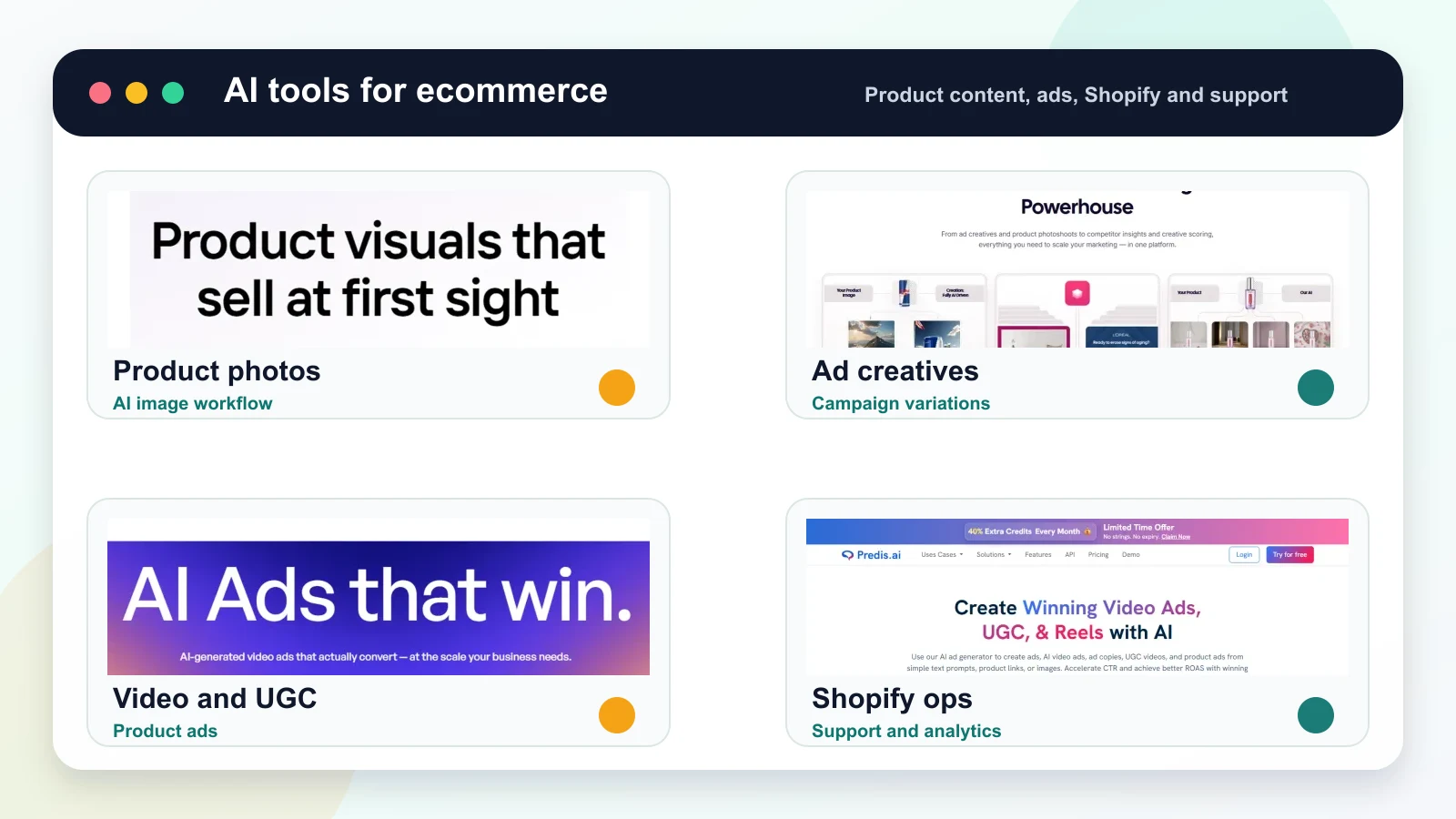
Quick verdict
The best AI tools for ecommerce are not all-in-one magic buttons. A useful ecommerce AI stack should help with product content, ads, customer support, operations, and decision-making.
- Best native Shopify AI assistant: Shopify Sidekick.
- Best AI product photos: Photoroom, Pebblely, or Flair.ai.
- Best AI product video ads: Creatify.
- Best UGC-style ecommerce ads: Arcads.
- Best static ad creatives: AdCreative.ai.
- Best beginner-friendly design workflow: Canva.
- Best social content workflow: Predis.ai.
- Best avatar product explainers: HeyGen.
- Best automation layer: Shopify Flow.
If you run a Shopify store, start with native Shopify AI features and then add specialist tools only where they solve a real bottleneck: product images, video ads, UGC, copy, support, or operations.
Best AI tools for ecommerce compared
| Tool | Best for | Strongest use case | Watch out for |
|---|---|---|---|
| Shopify Sidekick | Shopify store help | Store setup, product copy, marketing tasks, admin support | Availability and feature access can vary by plan and rollout |
| Shopify Flow | Store automation | Inventory, orders, customer segments, operational workflows | Automation needs clear rules and review |
| Photoroom | Product images | Background removal, cleanup, batch product visuals | Check edges, labels, and product accuracy |
| Pebblely | Lifestyle product photos | Product-to-scene visuals for ecommerce | Review realism and product consistency |
| Creatify | Product video ads | Turning product inputs into short ad videos | Review claims, prices, and landing-page fit |
| Arcads | UGC-style ads | Creator-style product pitches with AI actors | Do not fake customer proof |
| AdCreative.ai | Static ads | Campaign variations and ad copy | Needs brand and compliance review |
| Canva | Simple creative work | Product cards, social posts, banners, thumbnails | Less specialized for performance testing |
| Predis.ai | Social content | Posts, ads, captions, Reels-style assets | Edit to avoid template-like output |
| HeyGen | Avatar explainers | Product education, localized presenter videos | Script quality matters more than avatar polish |
What ecommerce AI tools should actually do
AI tools for ecommerce should reduce production friction without misrepresenting the product.
The highest-value use cases are:
- product descriptions,
- product photos,
- product videos,
- ad creatives,
- UGC-style ad scripts,
- customer support drafts,
- abandoned cart and email content,
- merchandising and collection ideas,
- inventory and workflow automation,
- campaign and sales analysis.
The goal is not to use AI everywhere. The goal is to use AI where it helps shoppers understand the product faster or helps your team produce better assets with less delay.
1. Shopify Sidekick
Shopify Sidekick is the native AI assistant built for Shopify merchants. It is designed to help with store setup, product copy, design changes, marketing tasks, performance questions, and admin workflows.
Best for
- Shopify merchants who want AI inside the admin.
- Product descriptions and store copy.
- Store setup questions.
- Marketing prompts.
- Quick analysis and operational help.
Why it matters
For Shopify stores, native AI is the first place to check because it understands the commerce context better than a generic chatbot. It can work closer to your store data, admin tasks, products, and workflows.
Use Sidekick for store-specific questions and day-to-day help. Use specialist tools when you need stronger creative output, such as product photos, paid ads, UGC videos, or polished campaign assets.
Availability note: Shopify AI features, Sidekick access, permissions, languages, usage limits, and supported tasks can vary by plan, region, rollout status, account permissions, and store setup.
2. Shopify Flow
Shopify Flow is useful when AI and automation need to support operations, not just content creation.
Best for
- Inventory alerts.
- Order workflows.
- Customer segmentation.
- Fraud or risk review steps.
- Repetitive operational tasks.
Why it matters
Many ecommerce teams focus only on AI content, but operational automation can save more time. For example, you can build workflows around low stock, high-value customers, risky orders, tagging, fulfillment, or internal notifications.
The key is to automate stable rules first. Do not automate messy judgment calls until the process is clear.
3. Photoroom
Photoroom is one of the most practical AI tools for ecommerce product images. It helps with background removal, cleanup, batch visuals, and simple product content.

Best for
- Shopify product images.
- Marketplace listing visuals.
- Background removal.
- Product cleanup.
- Batch image production.
Watch out for
Inspect labels, edges, transparent materials, reflections, and shadows. Product images are not only creative assets; they are representations of what the customer is buying.
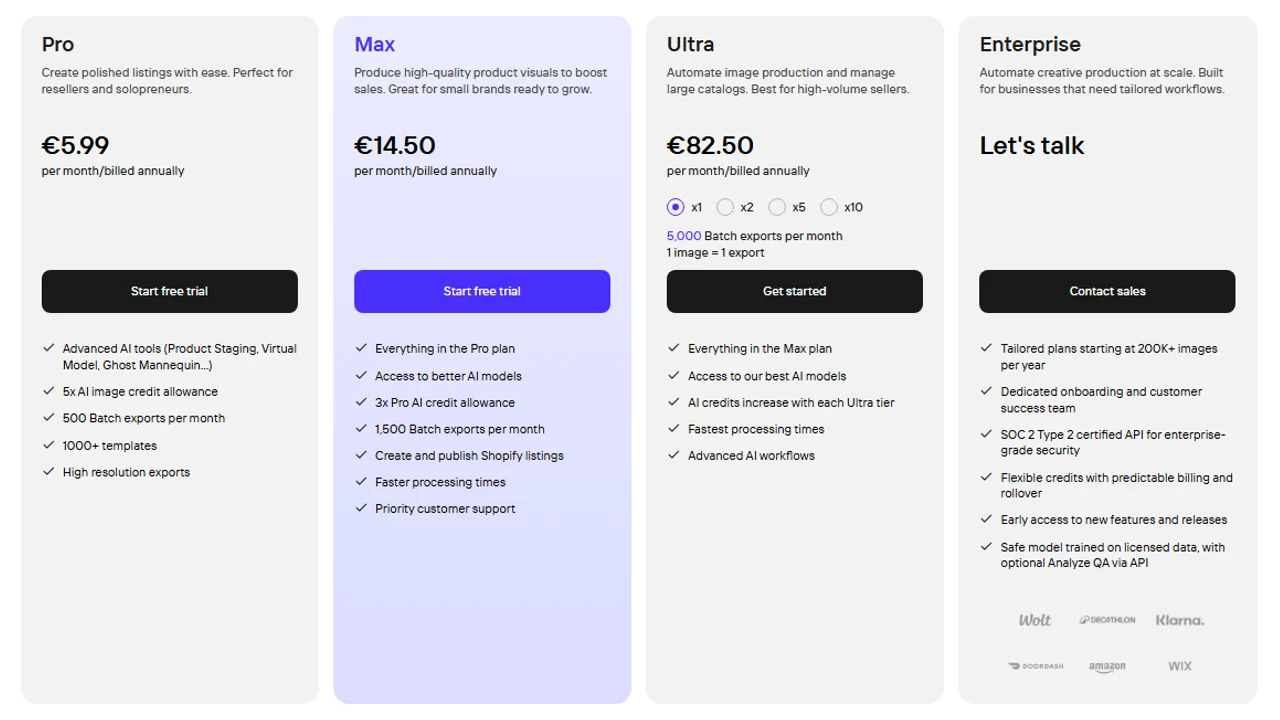
Pricing screenshot note: Photoroom prices, AI credit allowances, batch export limits, Shopify listing features, and enterprise terms can change and may vary by region, currency, taxes, billing cycle, promotions, and account type, so verify the current details on the official site before buying.
4. Pebblely and Flair.ai
Pebblely and Flair.ai are useful when plain product photos need to become lifestyle scenes, campaign visuals, or ad concepts.

Best for
- Lifestyle product images.
- Seasonal campaign scenes.
- Product ad concepts.
- Landing page visuals.
- Social content ideas.
Watch out for
AI lifestyle scenes can look impressive while quietly changing the product. Check size, label text, cap shape, material, reflections, and product scale before publishing.

If your main need is product photography, compare the dedicated guide to AI product photo generators.
5. Creatify
Creatify is a strong AI tool for ecommerce brands that need product video ads quickly.

Best for
- Product video ads.
- Shopify product pages.
- Paid social videos.
- Fast creative variations.
- Product URL to video workflows.
Watch out for
Review product claims, discounts, prices, comparison language, and CTA. A video can look polished and still be unsafe to run if it makes a promise the product page does not support.
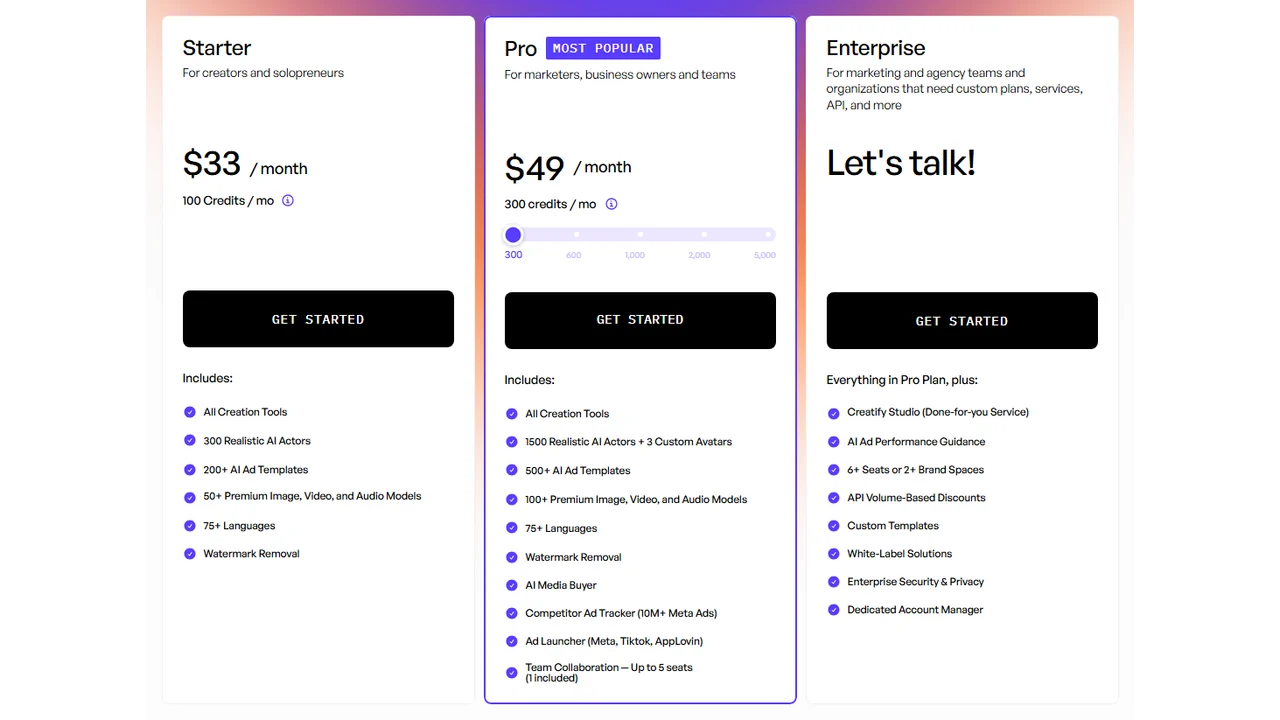
Pricing screenshot note: Creatify prices, credits, AI actor access, template limits, ad guidance, API discounts, and enterprise terms can change and may vary by region, currency, taxes, billing cycle, promotions, and account type, so verify the current details on the official site before buying.
For a narrower comparison, read best AI product video generators and best AI ecommerce video generators.
6. Arcads
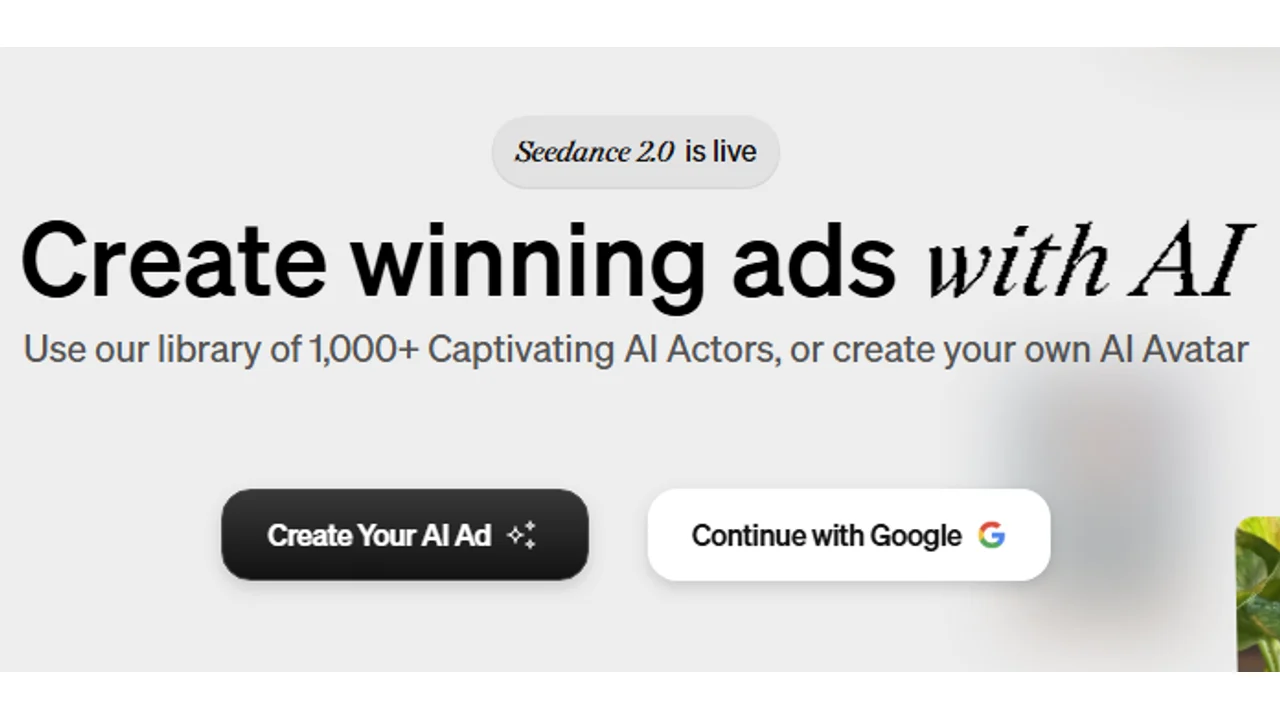
Arcads is useful when ecommerce ads need to feel closer to creator content than polished brand creative.
Best for
- UGC-style product ads.
- TikTok and Reels formats.
- Hook testing.
- Creator-style product pitches.
- Short direct-response scripts.
Watch out for
AI UGC should not be used as fake customer testimony. Use it to test messages, explain products, or localize scripts, but keep real customer proof separate and honest.
7. AdCreative.ai
AdCreative.ai fits ecommerce teams that need more static ad concepts, product ads, and campaign variants.

Best for
- Static paid social ads.
- Product creative variants.
- Ad copy and headlines.
- Fast campaign testing.
- Teams dealing with creative fatigue.
Watch out for
Do not let AI invent product benefits, guarantees, performance claims, or competitor comparisons. Review every ad before launch.
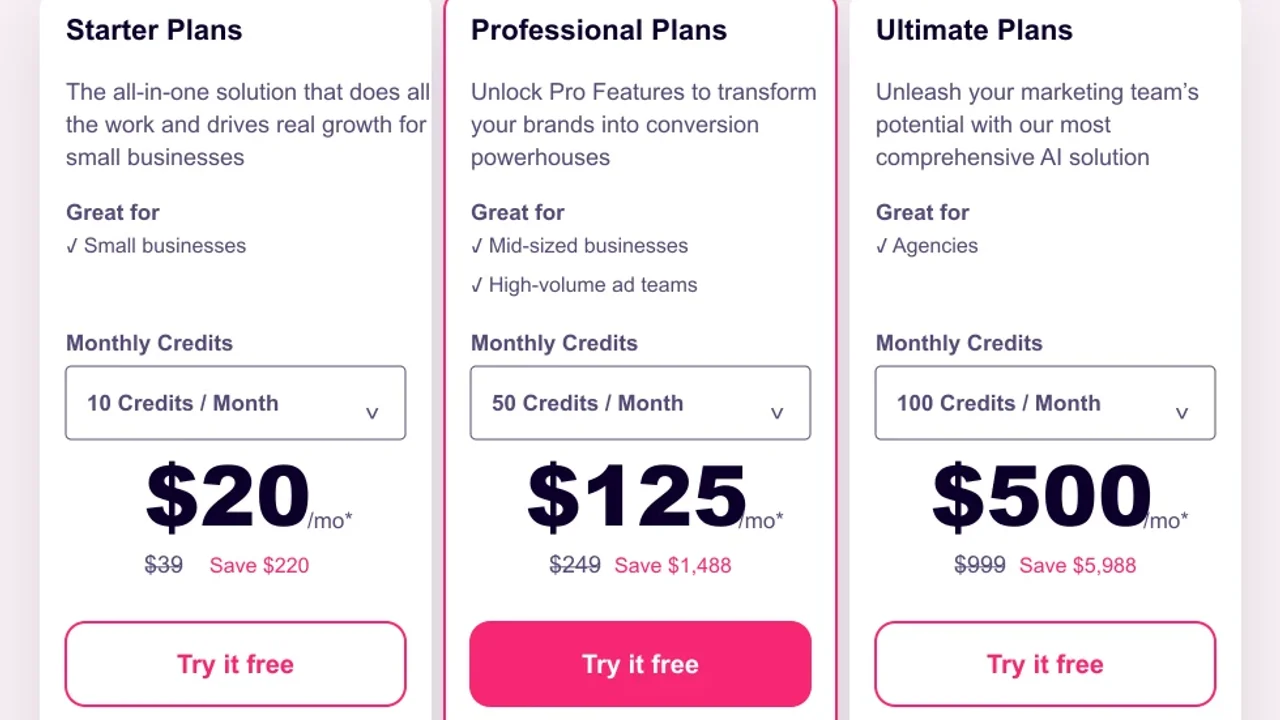
Pricing screenshot note: AdCreative.ai prices, credits, discounts, and plan limits can change and may vary by region, currency, taxes, billing cycle, promotions, and account type, so verify the current details on the official site before buying.
8. Canva and Predis.ai
Canva and Predis.ai are useful when ecommerce teams need a steady flow of social content, product cards, ad drafts, and simple campaign assets.

Best for
- Social posts.
- Product cards.
- Simple ad layouts.
- Seasonal campaigns.
- Teams without dedicated designers.
Watch out for
Templates are a starting point. Add product-specific proof, sharper hooks, and real offer clarity before using assets in paid campaigns.

Predis.ai is stronger when the workflow includes social captions, posts, short videos, and ecommerce creative ideas in one place.
9. HeyGen
HeyGen can help ecommerce stores create presenter-led product explainers, localized videos, and FAQ-style ads.
Best for
- Avatar product explainers.
- Localized product education.
- Founder-style videos.
- FAQ videos.
- Retargeting creatives.
Watch out for
Avatar videos fail when they talk too much before showing the product. Keep the script short, show the product early, and write for mobile viewing.
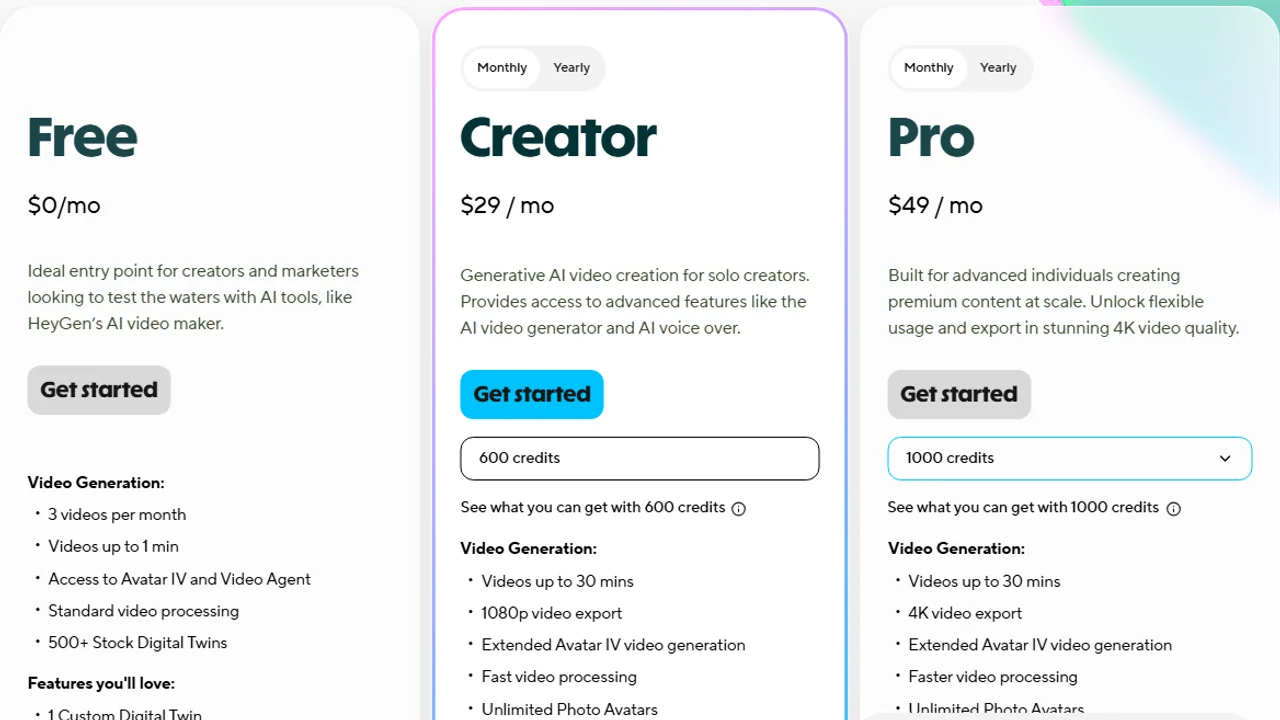
Pricing screenshot note: HeyGen prices, credits, export limits, avatar access, and plan limits can change and may vary by region, currency, taxes, billing cycle, promotions, and account type, so verify the current details on the official site before buying.
Recommended ecommerce AI stack
For most small ecommerce brands, a practical stack looks like this:
| Job | Tool type | Example tools |
|---|---|---|
| Store help | Native Shopify AI | Shopify Sidekick |
| Automation | Shopify workflows | Shopify Flow |
| Product photos | Product image AI | Photoroom, Pebblely, Flair.ai |
| Static ads | AI ad maker | AdCreative.ai, Canva |
| Product video | AI video ads | Creatify |
| UGC-style ads | AI actors and scripts | Arcads |
| Avatar explainers | Presenter video | HeyGen |
| Social content | Social creative AI | Predis.ai |
Do not buy every tool at once. Start with the weakest part of your current ecommerce workflow.
How to choose
- Your product photos are weak: start with Photoroom or Pebblely.
- Your paid ads fatigue quickly: try AdCreative.ai or read best AI ad maker tools.
- You need videos from product pages: start with Creatify.
- You need TikTok-style product ads: compare Arcads and AI UGC ad generators.
- You need product explainers: try HeyGen or compare AI avatar ad generators.
- You need the Shopify-native layer: start with Sidekick and Shopify Flow before adding external apps.
Ecommerce AI checklist
Before using AI-generated ecommerce content, check:
- The product is visually accurate.
- Label text is readable and unchanged.
- Product claims are true.
- The CTA matches the landing page.
- Synthetic presenters are disclosed when needed.
- The creative fits the platform.
- The output does not create fake customer proof.
- Pricing, discounts, and guarantees are correct.
- The workflow saves time without lowering trust.
FAQ
What are the best AI tools for ecommerce?
It depends on the job. Shopify Sidekick and Flow for the native layer, Photoroom or Pebblely for photos, Creatify for videos, AdCreative.ai for ads, Arcads for UGC, and HeyGen for avatars.
Which AI tools work for Shopify?
Start with Shopify Sidekick and Shopify Flow. Then add external tools for images, videos, ads, or UGC if you need more creative capacity.
Can I use AI to create product photos and videos?
Yes, but check visual accuracy, labels, claims, usage rights, and consistency with the product page before publishing.
Is an all-in-one tool or several specialized ones better?
For ecommerce a modular stack usually works better: one tool for photos, one for ads, one for video, and one for automation if needed.
Final recommendation
The best AI tools for ecommerce are the ones that remove the current bottleneck without damaging product trust.
For a Shopify store, start with native Shopify AI and automation. Then add specialist tools: product photos first, static ads second, product videos third, and UGC or avatar variants once the offer is clear.