
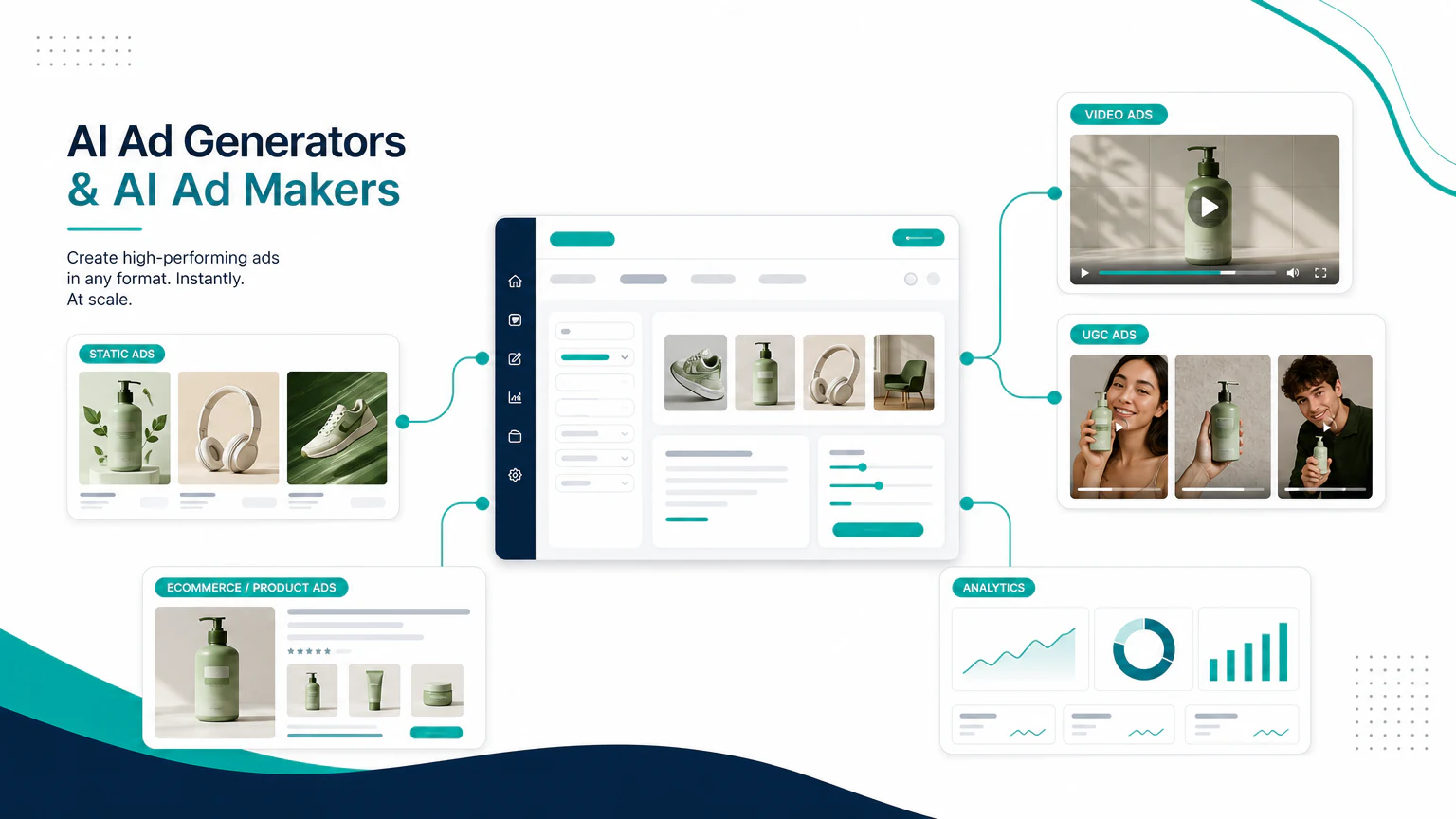
Quick verdict
The best AI ad maker for most small teams is the tool that gets you from idea to a testable creative the fastest, without locking you into one ad format.
- Best overall AI ad maker: AdCreative.ai
- Best beginner-friendly ad maker: Canva
- Best social-first AI ad maker: Predis.ai
- Best product video ad maker: Creatify
- Best UGC-style ad maker: Arcads
- Best avatar ad maker: HeyGen
- Best enterprise creative workflow: Smartly.io or Abyssale
If you searched for an AI ad maker, you probably do not want a pure image generator. You want a practical workflow that can make ad copy, layouts, product visuals, video variations, hooks, captions, and platform-ready assets for Meta, TikTok, YouTube, Google, LinkedIn, or ecommerce campaigns.
What is an AI ad maker?
An AI ad maker is a tool that helps create advertising assets from prompts, product information, brand inputs, templates, or existing creative.
Depending on the product, an AI ad maker can create:
- static ad creatives,
- ad copy and headlines,
- product photos,
- product video ads,
- UGC-style videos,
- avatar-led ads,
- social posts and captions,
- multiple ad sizes,
- creative variations for A/B testing.
The key difference between an AI ad maker and a generic AI design tool is intent. A useful ad maker should help you produce assets that can actually be tested in a campaign, not just attractive images.
Best AI ad maker tools compared
| Tool | Best for | Strongest use case | Watch out for |
|---|---|---|---|
| AdCreative.ai | Overall ad creation | Static ads, copy, product visuals, videos, creative scoring | Can still need human editing for brand voice |
| Canva | Beginners | Fast designs, social ads, simple brand assets | Less focused on performance testing |
| Predis.ai | Social campaigns | Social ads, posts, Reels, ecommerce creatives | Outputs can feel template-like without edits |
| QuickAds | Fast performance creative | Ad ideas, creatives, copy, and campaign variants | Review quality before scaling spend |
| Creatify | Product video ads | Turning product inputs into video ads | Best when product details and offer are clear |
| Arcads | UGC-style video ads | AI actors, creator-style ads, hook testing | Disclosure and trust matter |
| HeyGen | Avatar-led ads | Presenter videos, explainers, localization | Script quality makes or breaks the ad |
| Smartly.io | Enterprise teams | Creative automation for large ad accounts | Too heavy for most small brands |
| Abyssale | Template automation | Producing many branded assets from templates | Less native to UGC or video-first ads |
1. AdCreative.ai
AdCreative.ai is the clearest first tool to test if your main search is “AI ad maker.” It is built around advertising workflows rather than general design, and it covers more than one creative format.

Best for
- Static ad creatives.
- Ad copy and headlines.
- Product visuals.
- Creative variation testing.
- Teams that want an ad-specific workflow instead of a blank design canvas.
Why it stands out
AdCreative.ai is useful when you need many ad concepts quickly. You can use it to generate banners, copy, product visuals, creative scores, and campaign variations, then choose which ideas deserve manual polishing.
It is especially relevant for teams running Meta, Google Display, LinkedIn, or ecommerce campaigns where creative fatigue is a constant problem.
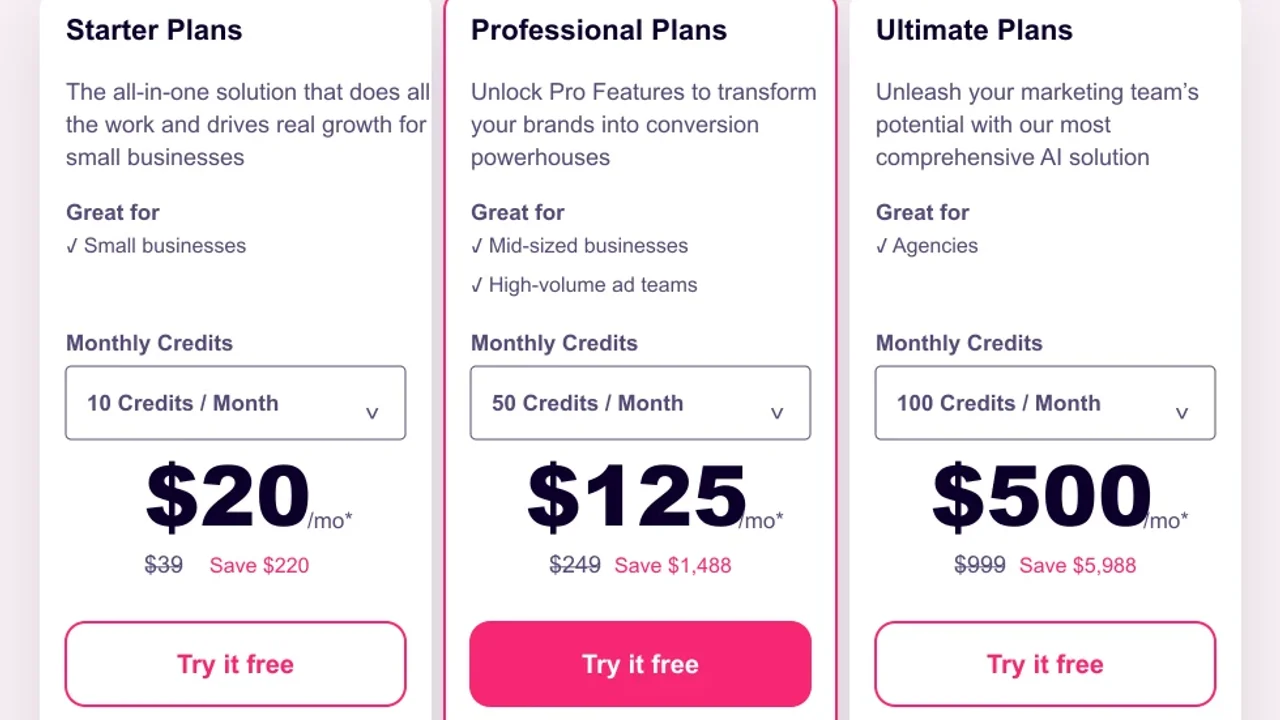
Pricing screenshot note: AdCreative.ai prices, credits, discounts, and plan limits can change and may vary by region, currency, taxes, billing cycle, promotions, and account type, so verify the current details on the official site before buying.
2. Canva
Canva is not only an AI ad maker, but it is one of the easiest tools for people who need ad visuals without a designer.

Best for
- Small business ads.
- Social media creatives.
- Simple campaign visuals.
- Beginners who want editable designs.
- Teams that already use Canva for brand assets.
Why it stands out
Canva is strong when you need speed and simplicity. It is not as performance-marketing specific as AdCreative.ai, but it is easier for non-specialists to use across many formats: Instagram posts, stories, banners, presentations, short videos, and simple landing page assets.
Use Canva when your bottleneck is design production. Use a more ad-specific platform when your bottleneck is testing many campaign variations.
Pricing note: Canva pricing, AI feature availability, team controls, and export options can vary by plan, region, billing cycle, account type, and rollout status, so verify current details on Canva before relying on it for production.
3. Predis.ai
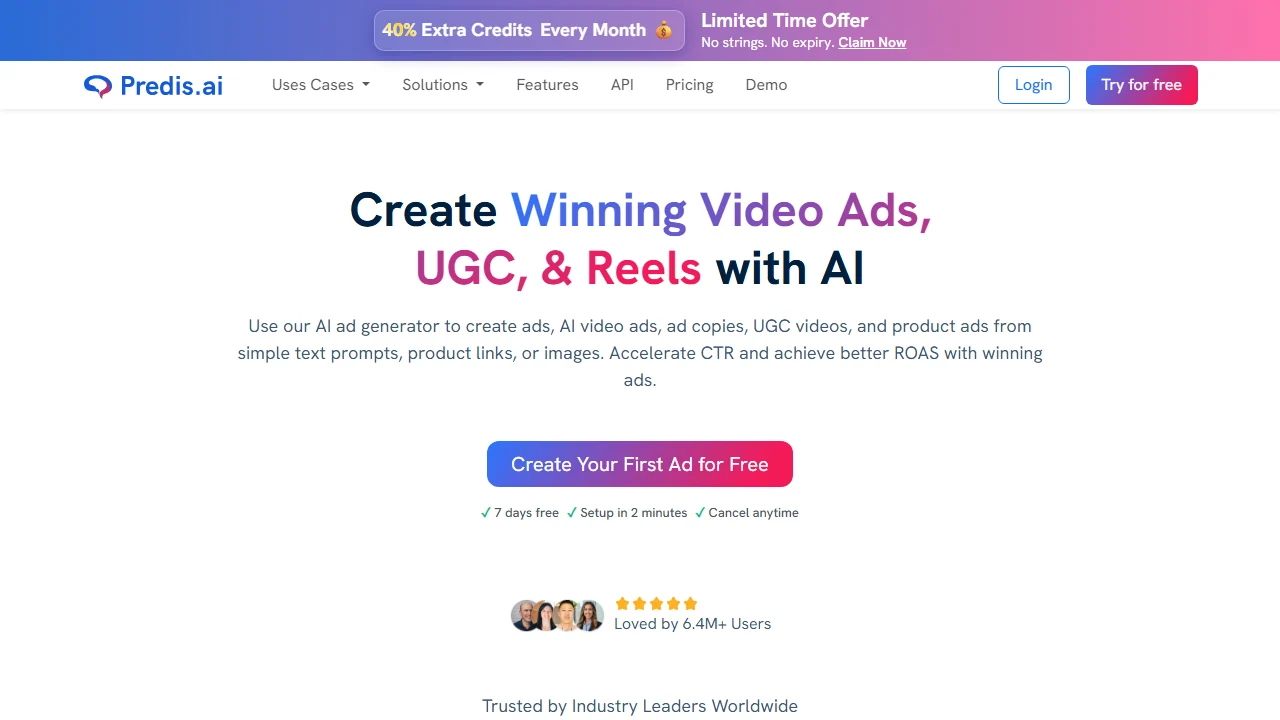
Predis.ai is a social-first AI ad maker. It is a good fit if your ads, posts, and short videos all live inside the same content workflow.
Best for
- Social media ads.
- Instagram and Facebook creatives.
- Ecommerce posts and product ads.
- Short-form video concepts.
- Teams that want planning, creation, and posting close together.
Why it stands out
Predis.ai works well when you want an AI ad maker that understands social content. It can help with posts, ad creatives, reels-style assets, captions, and product-led ideas.
The main risk is sameness. If you accept the first draft every time, the output may feel like a template. Treat it as a production assistant, then edit the hook, product proof, offer, and CTA.
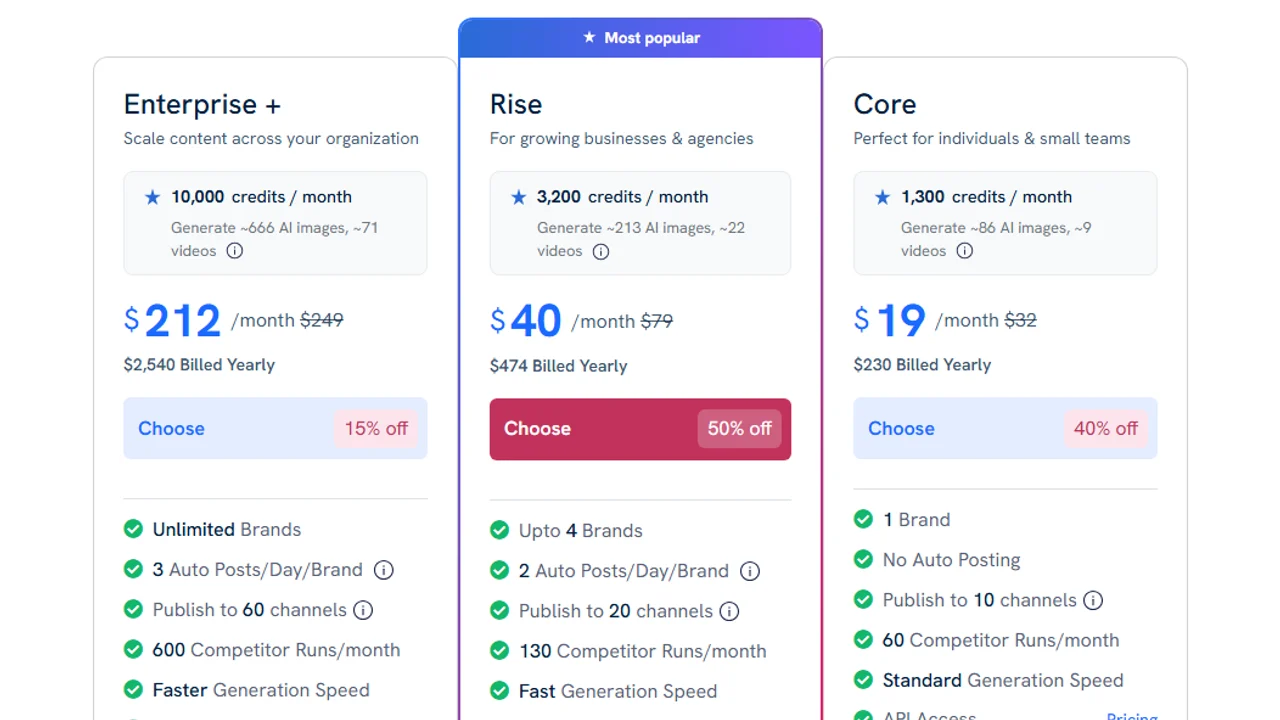
Pricing screenshot note: Predis.ai prices, discounts, credits, publishing features, and plan limits can change and may vary by region, currency, taxes, billing cycle, promotions, and account type, so verify the current details on the official site before buying.
4. QuickAds
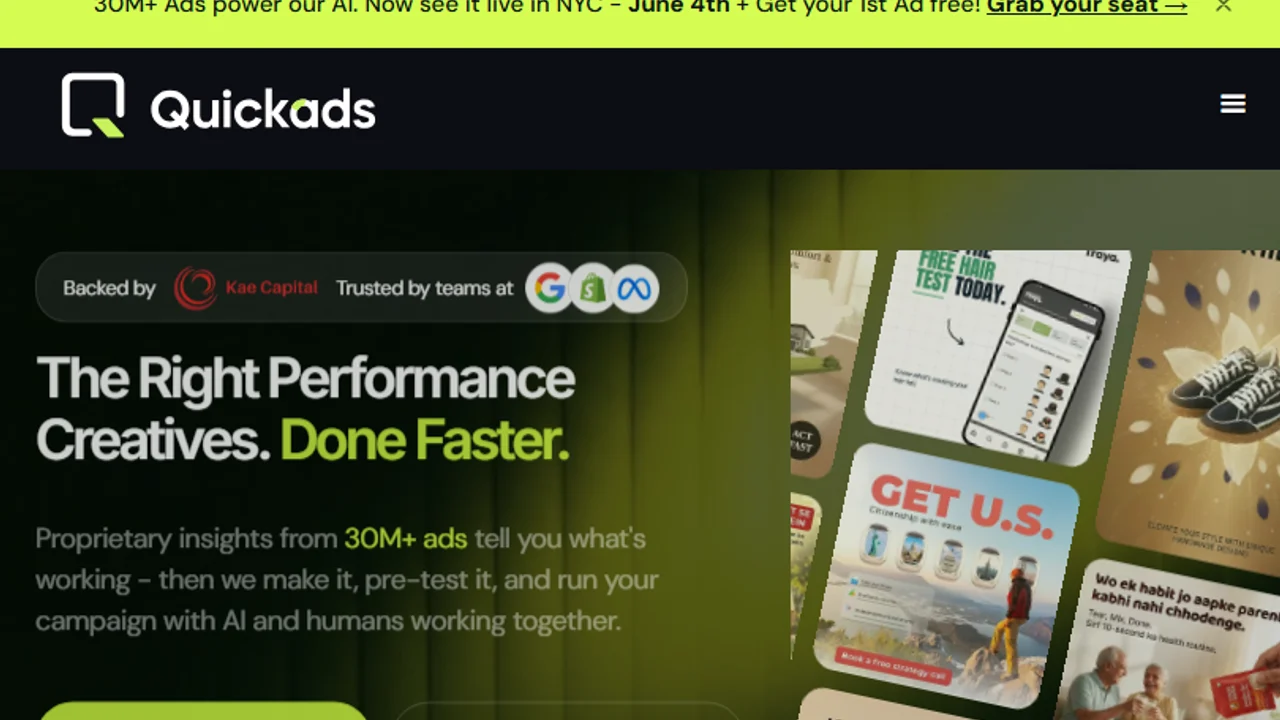
QuickAds is worth comparing if you want a faster performance creative workflow for ad ideas, copy, and variants.
Best for
- Quick campaign concepts.
- Ad copy and creative variants.
- Small teams testing many angles.
- Marketers who want speed more than deep design control.
Why it stands out
QuickAds fits teams that want to move from prompt to ad idea quickly. It is best used for ideation and early creative testing, especially when you need several angles before choosing what to polish.
Do not use speed as an excuse to skip review. Check every claim, offer, testimonial-style phrase, price reference, and competitor comparison before launch.
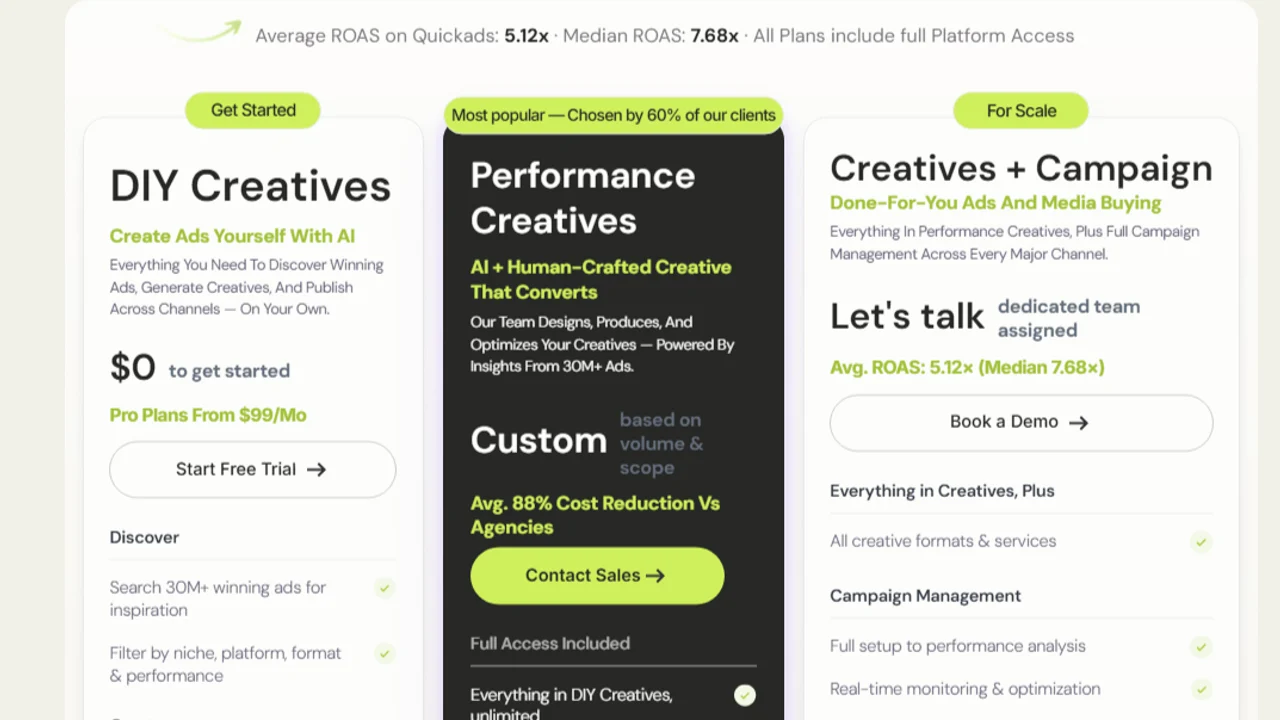
Pricing screenshot note: QuickAds prices, included credits, export limits, and platform features can change and may vary by region, currency, taxes, billing cycle, promotions, and account type, so verify the current details on the official site before buying.
5. Creatify
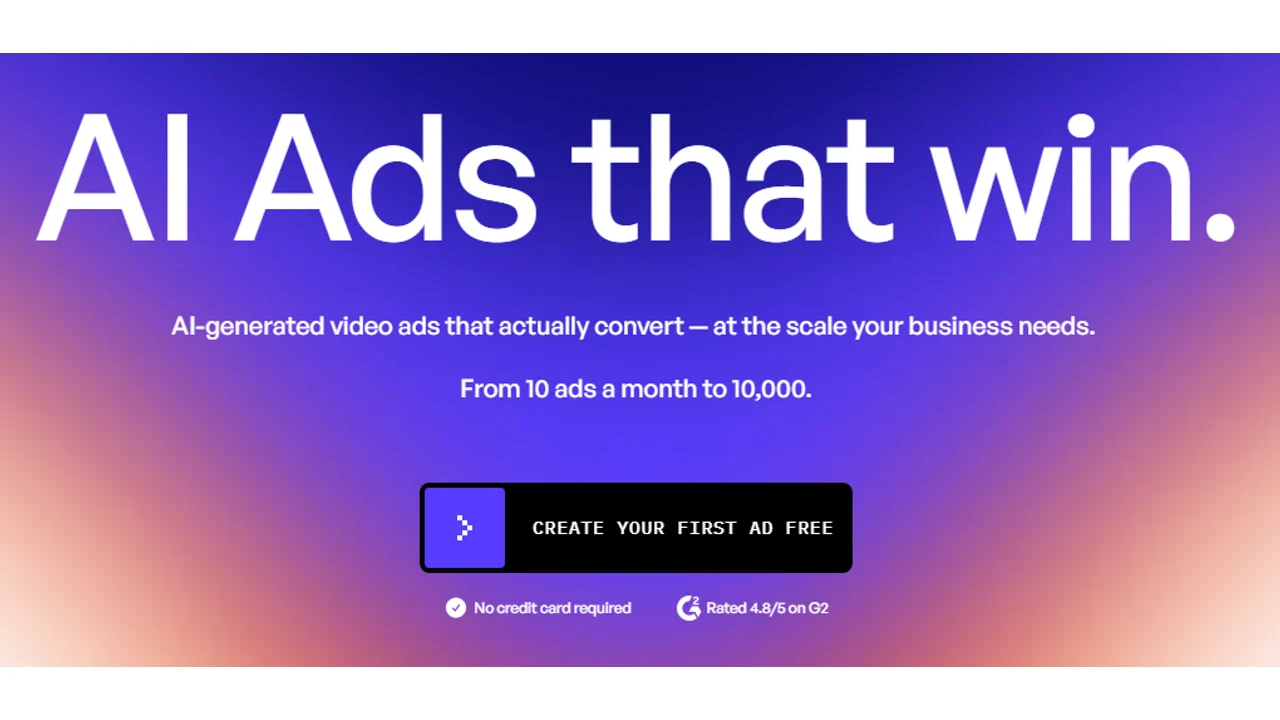
Creatify is one of the strongest AI ad maker options when the final asset needs to be a product video.
Best for
- Product video ads.
- Ecommerce product pages.
- Shopify-style products.
- Social video variations.
- Short direct-response video ads.
Why it stands out
Creatify is useful when you want to turn product information into video ad drafts. It is closer to an ecommerce video workflow than a general ad design tool.
If you are specifically looking for a video workflow, read the dedicated guide to AI video ad generators or the ecommerce-focused guide to AI product video generators.
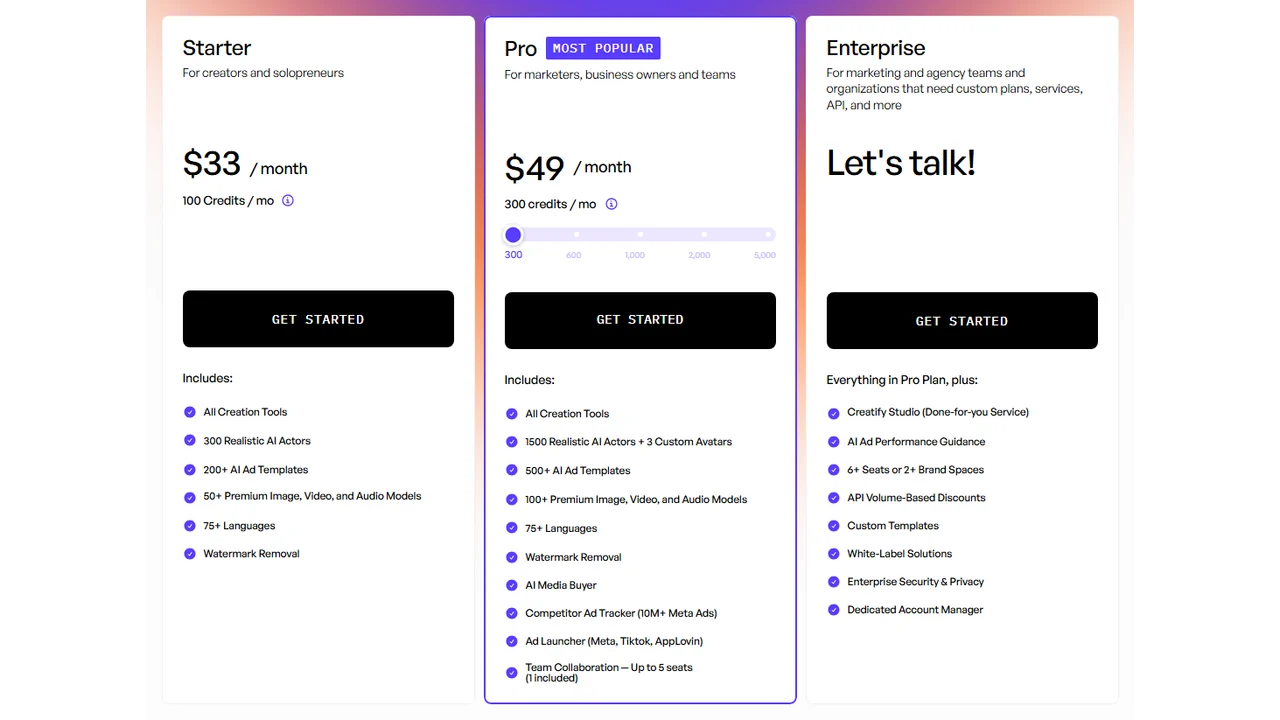
Pricing screenshot note: Creatify prices, credits, AI actor access, template limits, ad guidance, API discounts, and enterprise terms can change and may vary by region, currency, taxes, billing cycle, promotions, and account type, so verify the current details on the official site before buying.
6. Arcads
Arcads is a stronger fit when your ad format is UGC-style video rather than a static banner or polished product video.
Best for
- UGC-style video ads.
- Creator-style hooks.
- AI actor videos.
- Multiple script angles.
- Direct-response social ads.
Why it stands out
Arcads is useful when the ad needs to look like a person explaining, reacting to, or presenting a product. That makes it relevant for TikTok, Reels, Shorts, and paid social campaigns where a clean banner is not enough.
The main issue is trust. Synthetic presenters can be useful, but they should not be used as fake customer proof. Keep claims accurate and make disclosure part of the review process.
For a deeper comparison, read best AI UGC ad generators and best AI avatar ad generators.
7. HeyGen
HeyGen is an AI video and avatar platform that can work well for ads when your format is presenter-led.
Best for
- Avatar-led ads.
- Explainer ads.
- Product walkthroughs.
- Localized video campaigns.
- Founder-style or educator-style scripts.
Why it stands out
HeyGen is not the first tool to pick for static ad design. It becomes interesting when the ad needs a face, a voice, a script, and multiple localized versions.
The script matters more than the avatar. A weak script will still feel weak, even with a polished presenter.
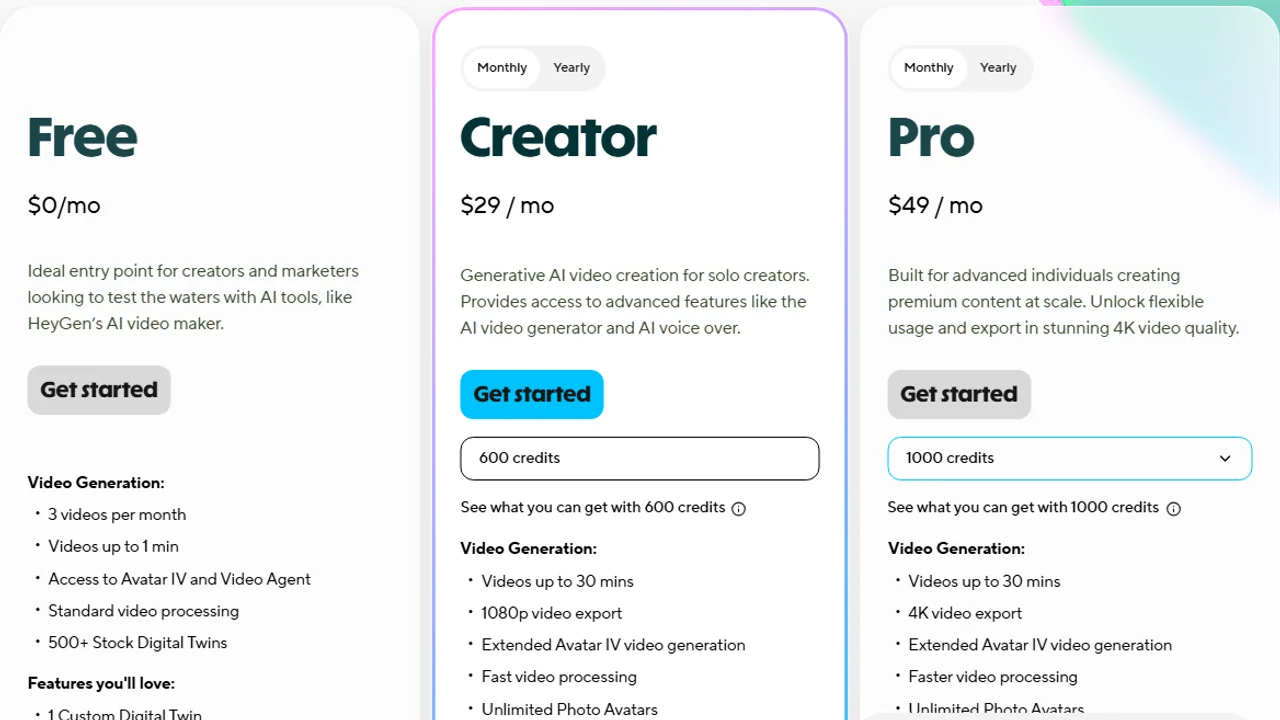
Pricing screenshot note: HeyGen prices, credits, export limits, avatar access, and plan limits can change and may vary by region, currency, taxes, billing cycle, promotions, and account type, so verify the current details on the official site before buying.
8. Smartly.io and Abyssale
Smartly.io and Abyssale are better described as creative automation tools than simple AI ad makers.
Best for
- Agencies.
- Larger brands.
- Multi-market campaigns.
- Template-based ad production.
- Teams managing many products, markets, and formats.
Why they stand out
Small teams usually need a fast AI ad maker. Larger teams need systems: brand control, templates, permissions, feeds, approvals, localization, and bulk production.
If that sounds like your workflow, compare enterprise creative automation tools. If not, start with AdCreative.ai, Canva, Predis.ai, or Creatify instead.
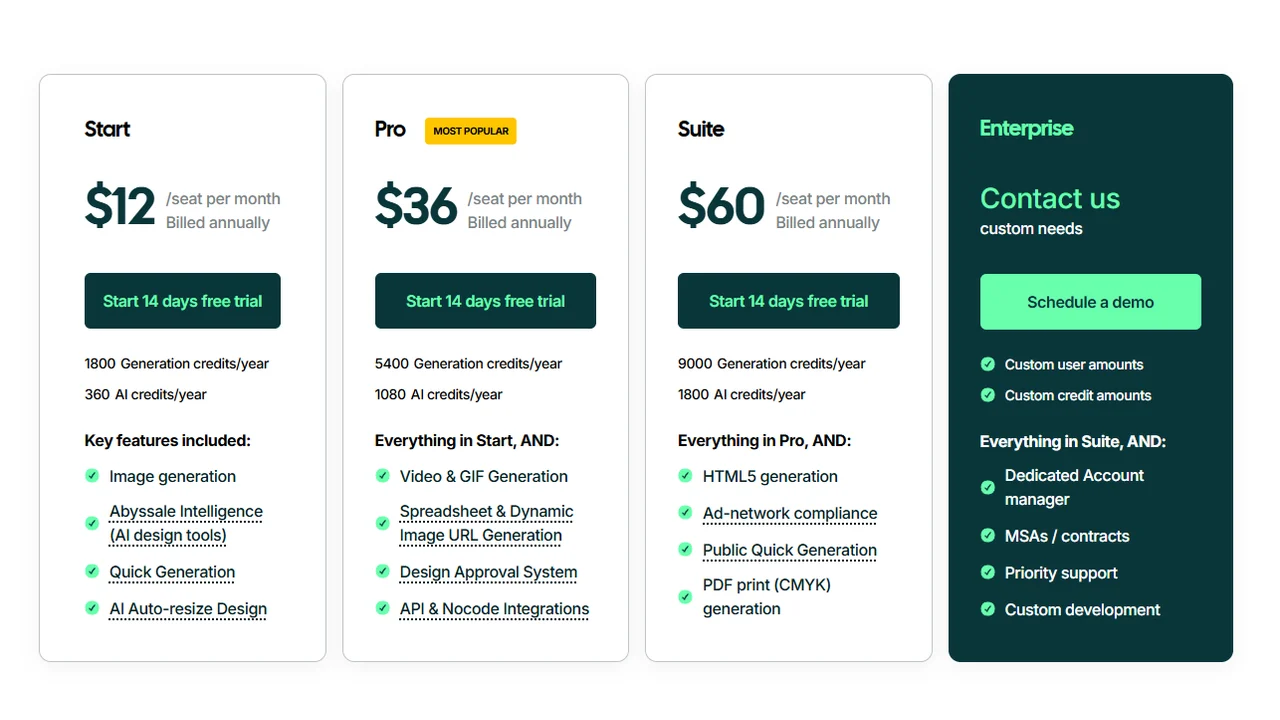
Pricing note: Smartly.io and Abyssale pricing, packages, enterprise terms, seats, integrations, and usage limits can change and may vary by region, contract, billing cycle, and account type, so verify current details on the official sites before buying.
How to choose the right AI ad maker
Use this simple decision path:
- Need the best general AI ad maker? Start with AdCreative.ai.
- Need simple designs fast? Use Canva.
- Need social content and ads together? Try Predis.ai.
- Need product video ads? Compare Creatify and the tools in best AI product video generators.
- Need UGC-style videos? Compare Arcads with AI UGC ad generators.
- Need avatar videos? Compare HeyGen with Synthesia alternatives.
- Need Facebook-specific ads? Read best AI Facebook ad generators.
- Need TikTok-specific ads? Read best AI TikTok ad generators.
- Need Instagram ads? Read best Instagram ad creator tools.
- Need the broad category? Read best AI ad generators.
AI ad maker workflow
A good AI ad maker still needs a good workflow. Use this sequence:
- Define one product or offer.
- Write three angles: pain point, benefit, and proof.
- Generate at least five static ad concepts.
- Generate two video or UGC-style concepts if the platform is visual-first.
- Rewrite the strongest hooks manually.
- Check every claim, price, guarantee, and comparison.
- Export platform-specific sizes.
- Launch a small test.
- Keep the message that performs, not just the design that looks best.
This is where AI ad makers are most useful: not replacing strategy, but making it faster to test strategy.
Common mistakes
Avoid these mistakes when using an AI ad maker:
- Choosing a tool before choosing the ad format.
- Publishing the first AI draft without editing.
- Letting the tool invent product claims.
- Using generic benefits instead of specific proof.
- Testing ten designs with the same weak message.
- Ignoring mobile readability.
- Using synthetic UGC as fake customer testimony.
- Forgetting platform policies and disclosure rules.
The best AI ad maker can help with production. It cannot decide your positioning, offer, compliance, or customer insight for you.
FAQ
What is the best tool to make ads with AI?
For a general option, start with AdCreative.ai. For simple design, Canva. For product videos, Creatify. For AI UGC, Arcads. For avatars, HeyGen.
Can I make ads with AI for free?
Some tools offer free plans or trials, but the limits change. Check watermarks, usage rights, exports, credits, and commercial terms before using a piece in real campaigns.
Are static ads or AI videos better?
It depends on the product and channel. A good first test compares a static creative, a product video, and a UGC variant with the same core message.
Do these tools work for Facebook Ads and TikTok Ads?
Yes, but check formats, size, captions, claims, landing page, and platform policies before publishing.
Is making ads with AI the same as generating creatives?
Not exactly. Making ads with AI includes copy, format, offer, variants, and review. Generating creatives focuses more on the visual asset.
Final recommendation
If you want one starting point, test AdCreative.ai first for general ad creation. Add Canva if you need simple editable designs, Creatify if product video is the priority, and Arcads or HeyGen if presenter-led ads matter.
For most brands, the winning stack is not one magic AI ad maker. It is a practical system: one tool for static ads, one workflow for video or UGC, and a human review process that protects the message before money goes into paid traffic.