
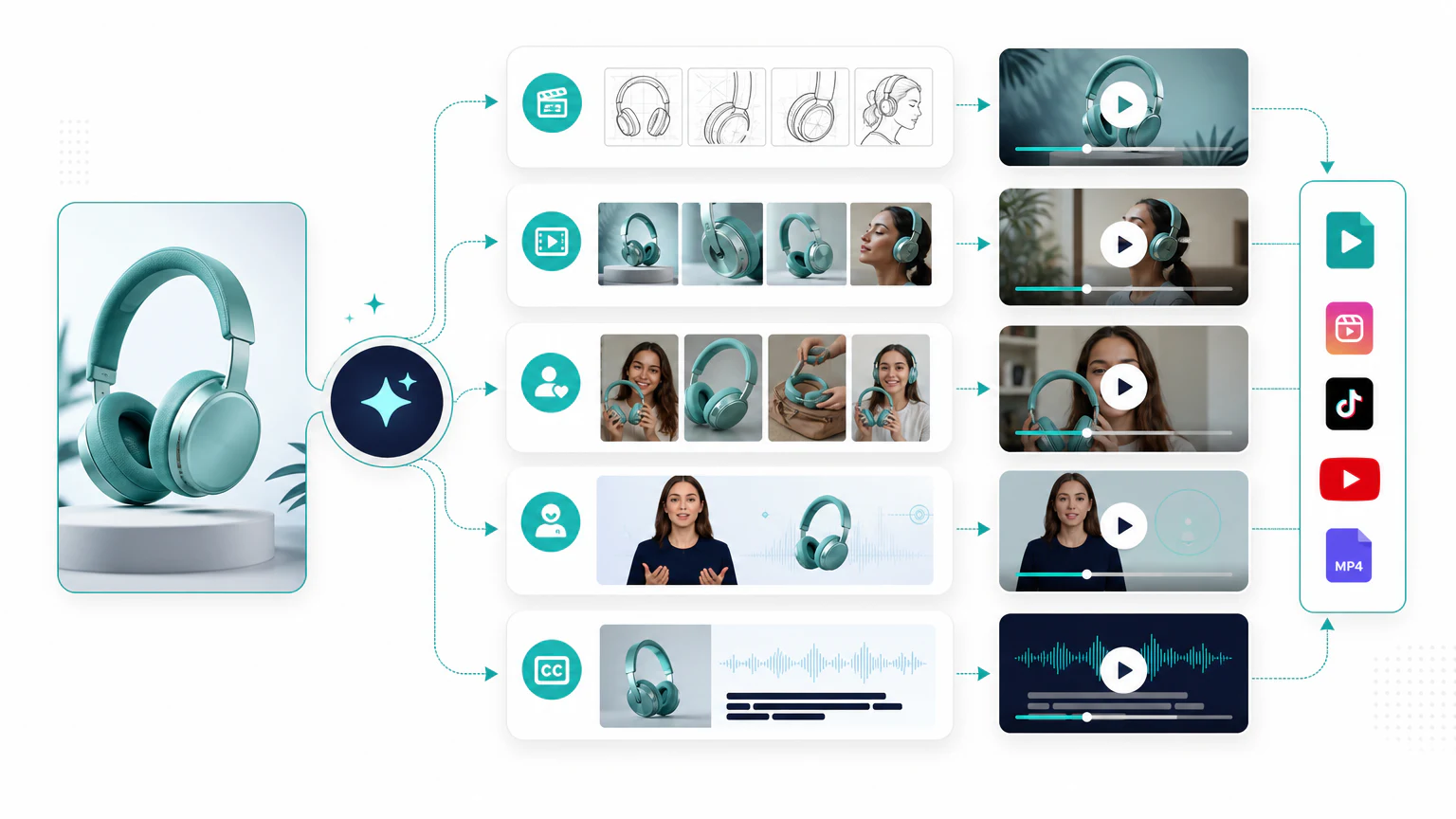
Quick workflow
To create product videos with AI:
- Start with a clear product image or page.
- Choose one use case.
- Write three short hooks.
- Generate a product demo video.
- Create a UGC-style variation.
- Add captions and platform cuts.
- Review product accuracy before publishing.
This workflow is useful for ecommerce ads, product pages, TikTok, Facebook, Instagram Reels, YouTube Shorts, and email campaigns.
Step 1: Prepare the product input
AI product video tools work better when the product input is clean.
Use:
- a clear product image,
- a product page,
- accurate product benefits,
- brand colors,
- one CTA,
- any existing product footage.
If the image is weak, improve it first with an AI product photo generator.
Step 2: Choose one use case
Do not generate a vague product video. Pick a specific job:
- show how the product works,
- explain the main benefit,
- compare before and after the problem,
- answer a common objection,
- create a short paid ad,
- add a product page video.
Example:
Product: portable blender
Use case: smoothies after the gym
Audience: busy people who want a quick drink away from home
CTA: Shop the portable blender
Step 3: Write hooks
Use AI to generate short hooks:
Write 10 product video hooks for a portable blender.
Audience: busy people who make smoothies after the gym.
Keep each hook under 9 words.
Avoid exaggerated health claims.
Examples:
- “Smoothies without a full kitchen.”
- “Your gym bag blender.”
- “Blend it anywhere.”
Step 4: Generate the product demo
Use an AI product video generator to create a first draft.
Tools to evaluate:
- Creatify,
- InVideo AI,
- VEED,
- Canva,
- Runway for advanced motion concepts.
Basic structure:
- Hook.
- Product shot.
- Product in use.
- Main benefit.
- CTA.
For tool selection, read best AI product video generators.
Step 5: Create a UGC-style variation
UGC-style product videos can work well for social ads because they feel more conversational.
Tools to evaluate:
Example:
I wanted smoothies after the gym, but I did not want to carry a full blender bottle.
This portable blender fits in my bag and charges by USB.
It is simple, but it makes my routine easier.
Keep it honest. Do not invent fake customer experiences.
Step 6: Add captions and cuts
Before publishing, create versions for:
- TikTok,
- Reels,
- Facebook feed,
- Stories,
- product pages,
- email.
Check that captions are readable and the product is not covered by text.
Step 7: Review product accuracy
Before launch, check:
- product shape,
- product color,
- label and packaging,
- claims,
- price and offer,
- CTA,
- landing page match,
- platform rules.
AI can create product videos quickly, but the brand is responsible for accuracy.
Related: for the full ad workflow across channels, read how to create ads with AI.
FAQ
How do I create product videos with AI?
Start with a clear product image or URL, choose the video type (demo, feature highlight, or explainer), generate a draft with an AI tool, then add captions and check that the product is shown accurately.
What is the best AI tool for product videos?
Creatify fits product-led videos, HeyGen fits avatar explainers, and VEED or Canva help with editing and captions. Compare options in the best AI product video generators.
Can I make a product video from just a photo?
Yes. Many tools turn a product photo or URL into a short video, but review the result so motion or effects do not distort the real product.
How long should a product video be?
For social and ads, about 10 to 30 seconds. For a product page, a short 15 to 60 second demo that answers the main question usually works best.
Final recommendation
Start with one product and make three videos: product demo, UGC-style pitch, and avatar explainer. That gives you enough variety to test without creating chaos.