
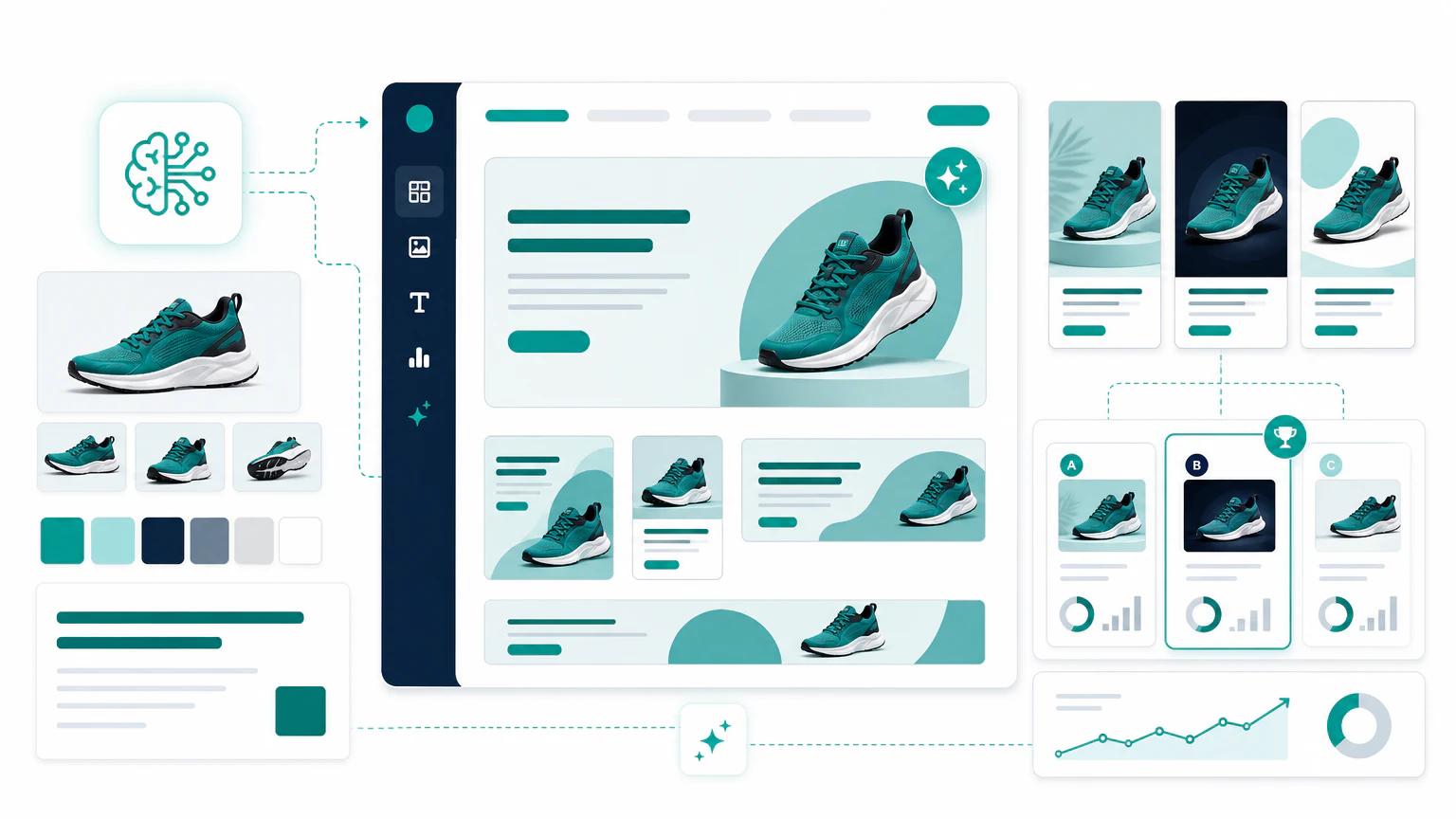
Quick verdict
The best AI ad creative generator depends on the creative system you need:
- For static ad variations: AdCreative.ai.
- For performance creative testing: Pencil.
- For display and banner automation: Creatopy.
- For AI ad studio workflows: The Brief.
- For beginner-friendly design: Canva Magic Studio.
- For AI-assisted design workflows: Picmaker.
- For social media creatives: Predis.ai.
- For video ad creatives: Creatify or InVideo.
An AI ad creative generator is not always the same as a full AI ad generator. This page focuses on the creative asset: images, copy, layouts, video variants, and production systems.
Comparison table
| Tool | Best for | Strength | Limit to watch |
|---|---|---|---|
| AdCreative.ai | Static ad variations | Fast ad creative generation | Review brand fit |
| Pencil | Creative testing | Performance-oriented variations | Needs campaign context |
| The Brief | AI ad studio workflows | Design, copy, resize, and ad serving tools | Public app flow is less homepage-led |
| Creatopy | Display and banners | Creative automation workflows | More useful for teams with volume |
| Canva Magic Studio | Beginners | Easy design and templates | Less specialized for paid media |
| Picmaker | AI-assisted design | MAD Button design assistance and social creative tools | More design-led than ad-performance-led |
| Predis.ai | Social creatives | Social-first assets | Can feel template-driven |
| QuickAds | Fast ad drafts | Lightweight production | Review output quality carefully |
| InVideo | Video creatives | Simple video assembly | Not always product-ad specific |
| Creatify | Product video creatives | Ecommerce video ads | Claims need human review |
What an AI ad creative generator does
AI ad creative generators help produce:
- ad images,
- headlines,
- primary text,
- banners,
- product creatives,
- video drafts,
- social post variations,
- creative testing variants.
The best tool depends on whether you need static ads, video ads, social creatives, or automation at scale.
1. AdCreative.ai
AdCreative.ai is a natural fit when the goal is static ad creative generation and variation testing.

Best for
- Static paid social ads.
- Creative variations.
- Small teams needing speed.
- Performance marketers.
Watch out for
Do not assume the score or suggestion is always right. Check the creative against your actual offer and brand.
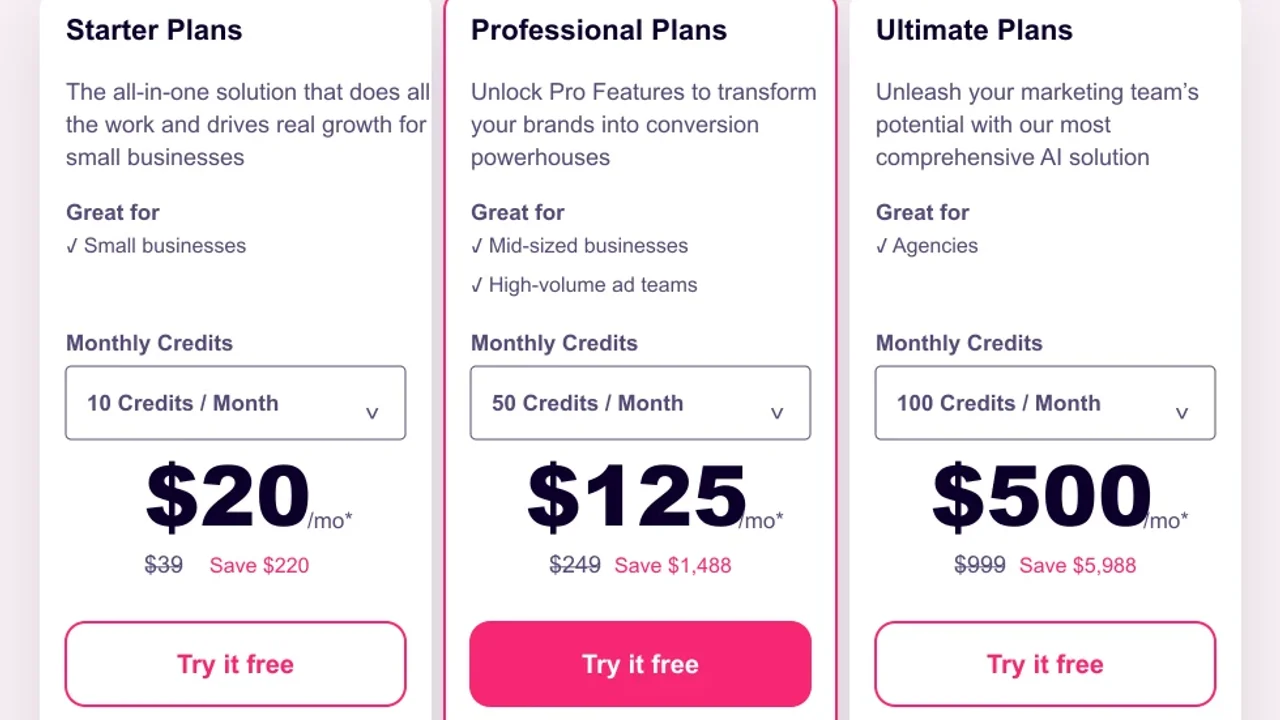
Pricing screenshot note: AdCreative.ai prices and discounts can change and may vary by region, currency, taxes, billing cycle, promotions, and account type, so verify the current plan details on the official site before buying.
2. Pencil
Pencil is relevant for teams that want to generate and iterate performance creative.
Best for
- Creative testing.
- Paid social teams.
- Campaign variation.
- Ad concepts at scale.
Watch out for
Creative testing only works if the offer, audience, and measurement setup are clear.
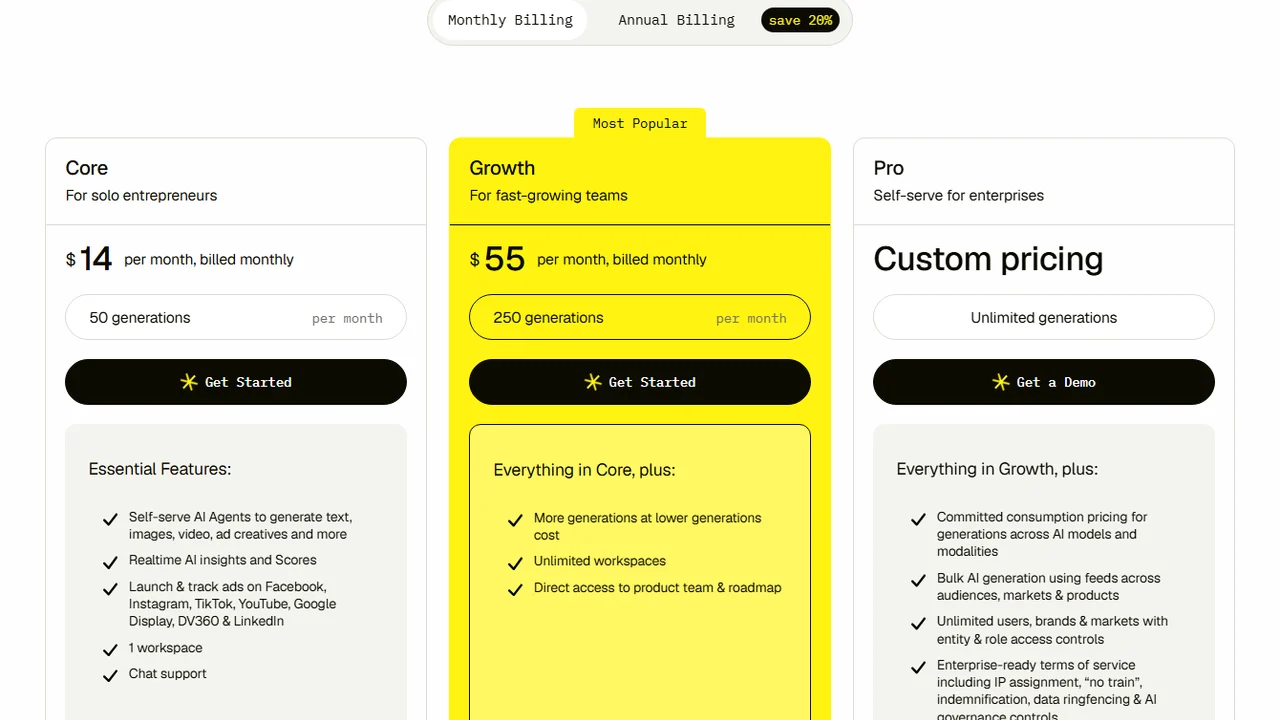
Pricing screenshot note: Pencil prices and plan limits can change and may vary by region, currency, taxes, billing cycle, promotions, and account type, so verify the current details on the official site before buying.
3. Creatopy
Creatopy fits teams that need display creatives, banners, templates, and creative automation.
The Brief is also relevant in this part of the market because it combines ad studio, canvas-style design, AI image/video/copy tools, resize workflows, and ad serving features. There is no separate homepage screenshot included here because the public URL points into the app/pricing flow rather than a standard marketing homepage.
Best for
- Display ads.
- Banner systems.
- Brand templates.
- Creative production teams.
Watch out for
It may be more than a small business needs if the workflow is only a few ads per month.
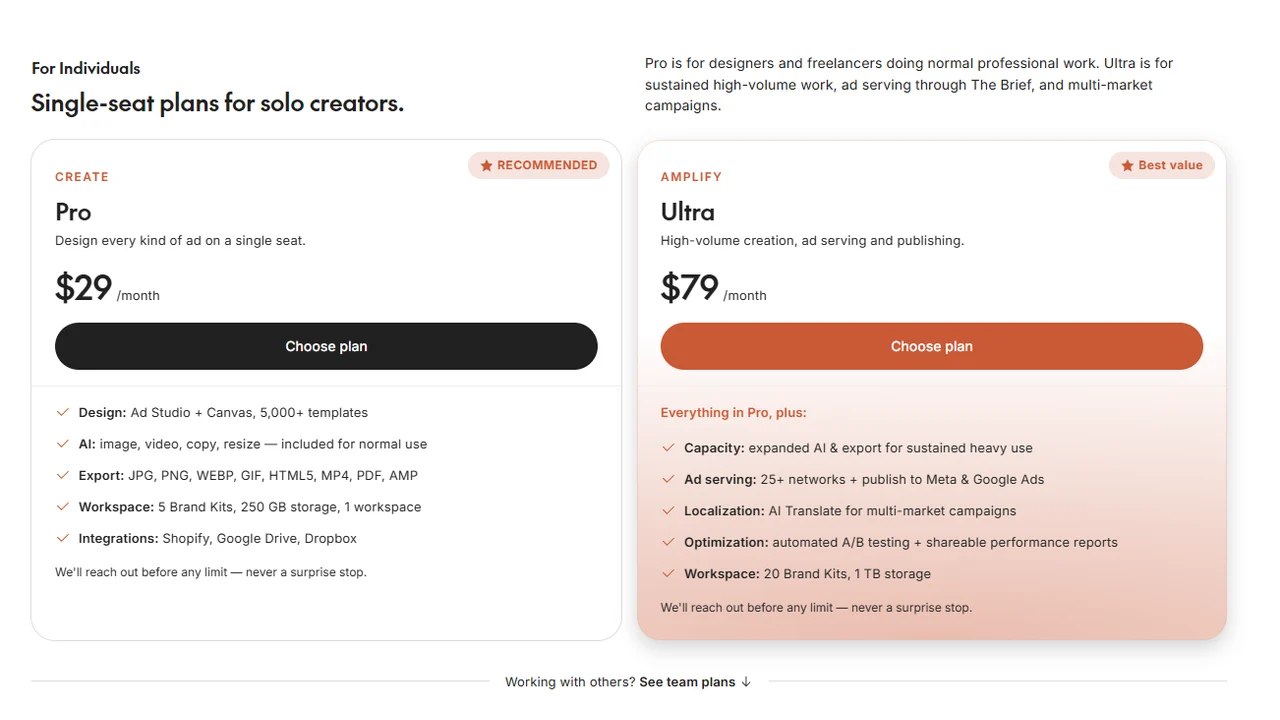
Pricing screenshot note: The Brief prices, included capacity, workspace limits, and ad serving features can change and may vary by region, currency, taxes, billing cycle, promotions, and account type, so verify the current plan details on the official site before buying.
4. Canva, Picmaker, Predis.ai, and QuickAds
These tools are useful for simpler creative production, especially when the team does not have a designer.
Canva is the broadest beginner-friendly design option in this group, especially for simple layouts, social assets, ad variations, and teams that already use Canva for brand templates.

Pricing note: Canva pricing and AI feature access can vary by plan, region, currency, taxes, billing cycle, promotions, team type, and rollout status, so verify the current Canva plan details before buying.
Picmaker is a design-led option for teams that want AI assistance with layouts, backgrounds, fonts, images, brand kits, and social media creative workflows.
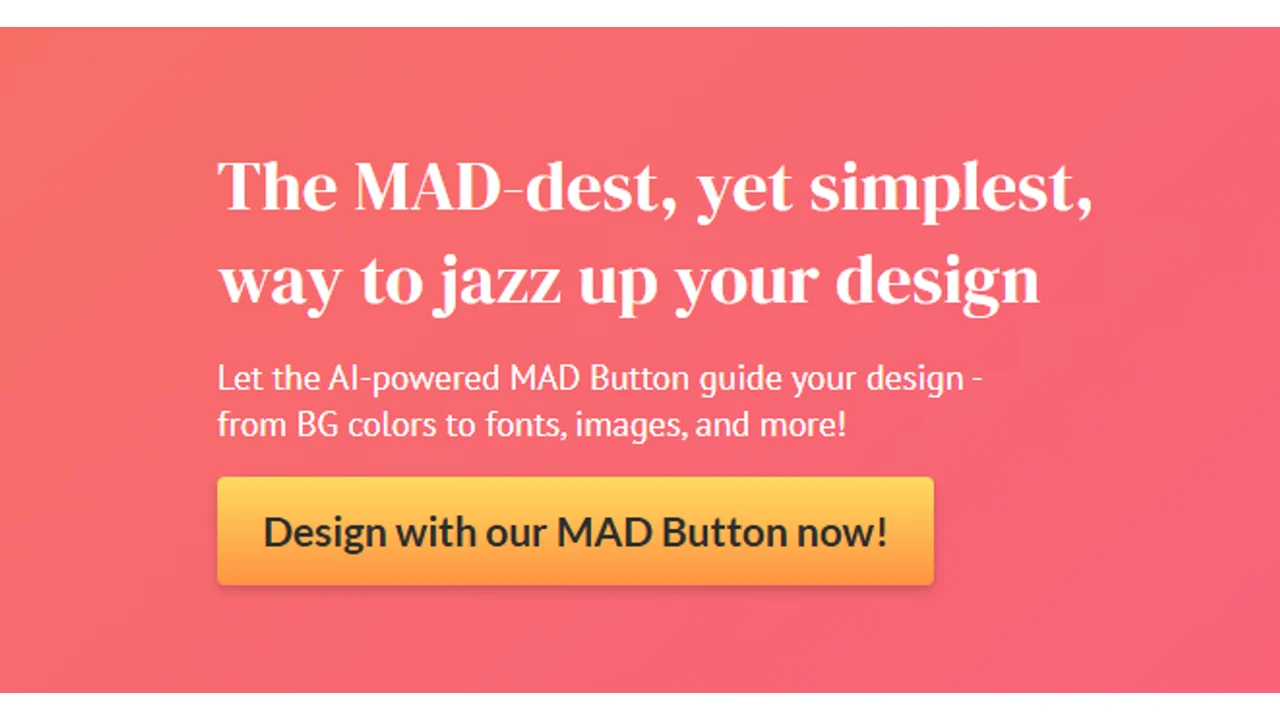
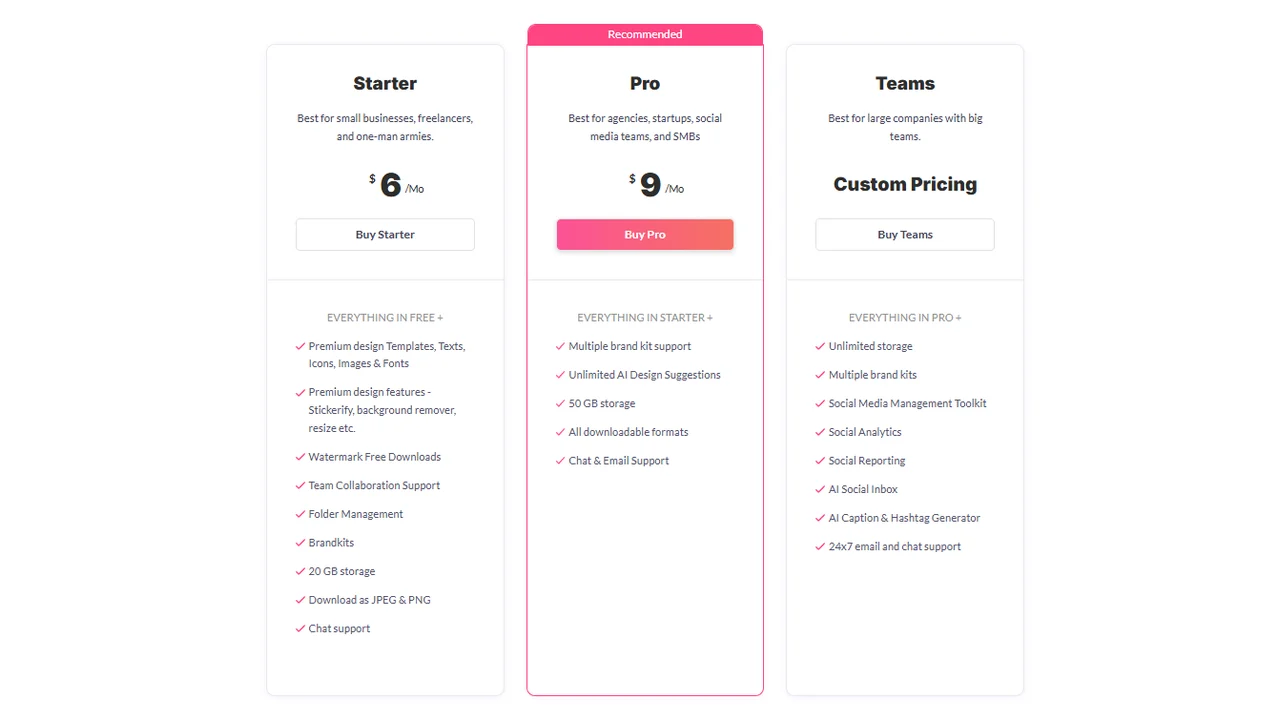
Pricing screenshot note: Picmaker prices, included storage, brand kits, AI suggestions, and team features can change and may vary by region, currency, taxes, billing cycle, promotions, and account type, so verify the current details on the official site before buying.
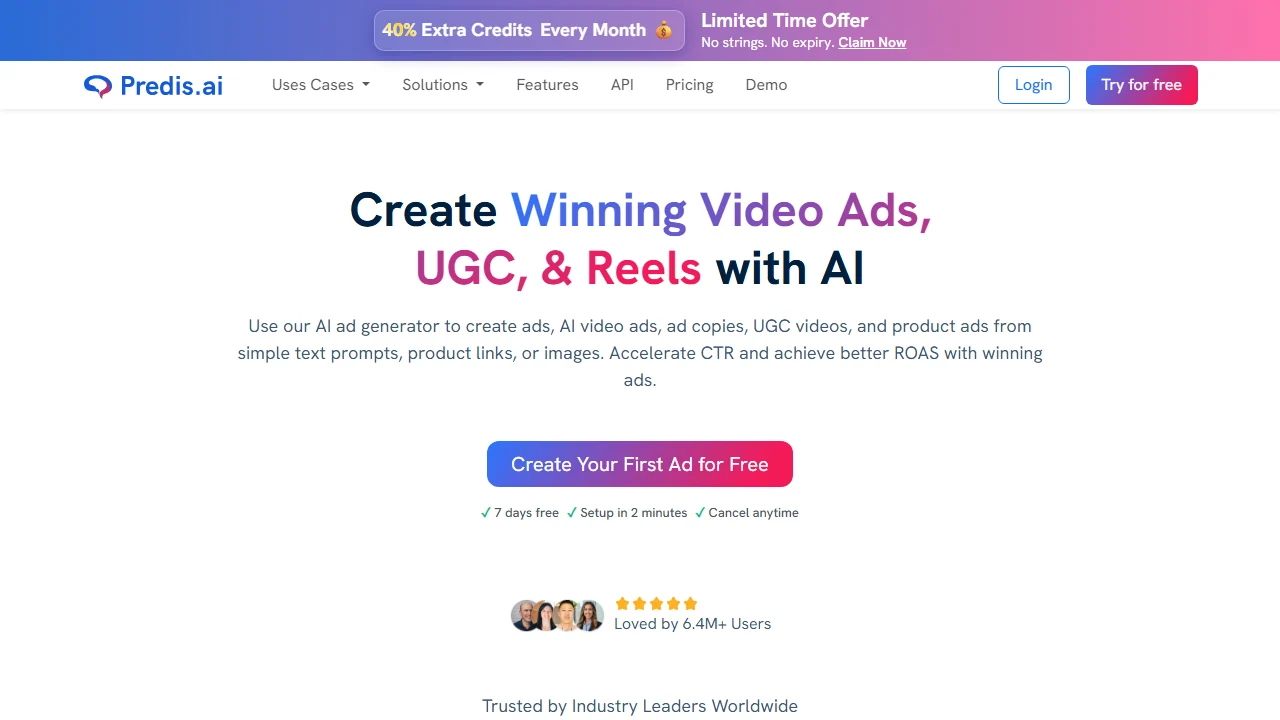
Predis.ai is the most social-first option in this group. It is worth testing if your workflow is built around short-form video ads, UGC-style creatives, Reels, captions, and product-led social posts.
Best for
- Social ads.
- Simple layouts.
- Fast visual drafts.
- Beginner-friendly workflows.
Watch out for
Templates are a starting point, not a strategy. Make the product angle specific.
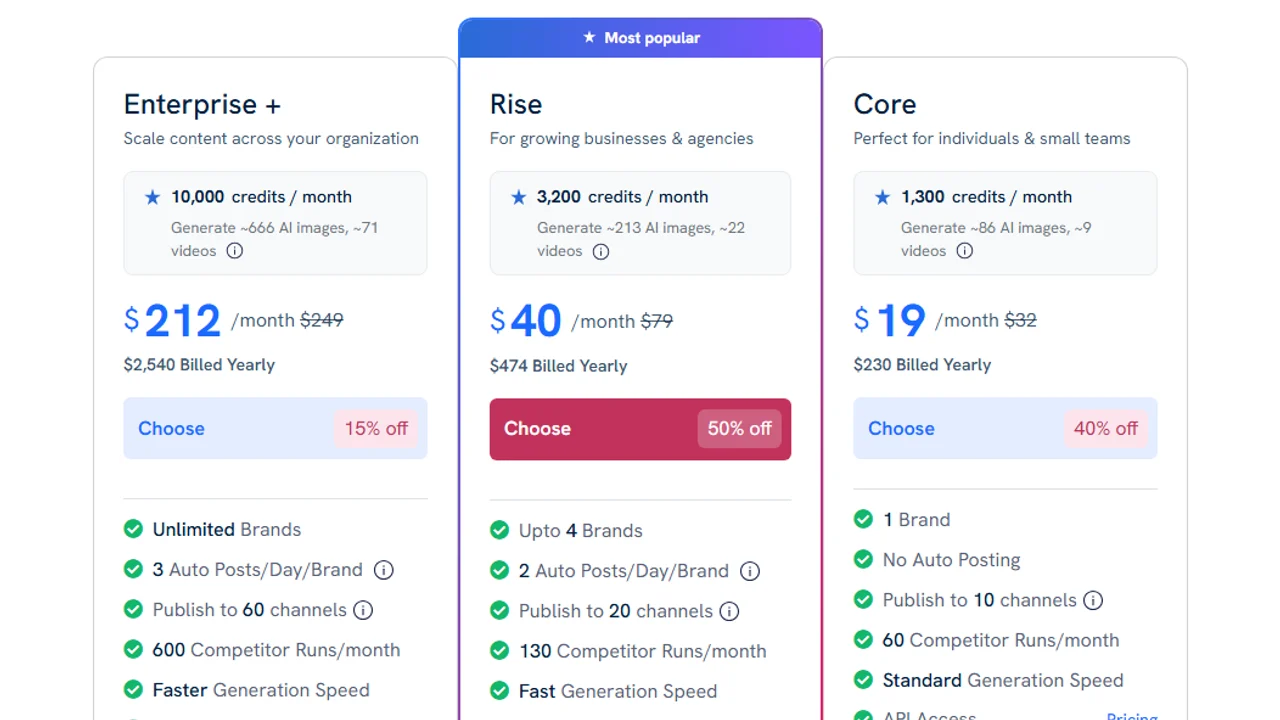
Pricing screenshot note: Predis.ai prices, discounts, and credit limits can change and may vary by region, currency, taxes, billing cycle, promotions, and account type, so verify the current details on the official site before buying.
QuickAds is worth considering when you want a faster route from ad inspiration to generated creatives and campaign-ready variants.
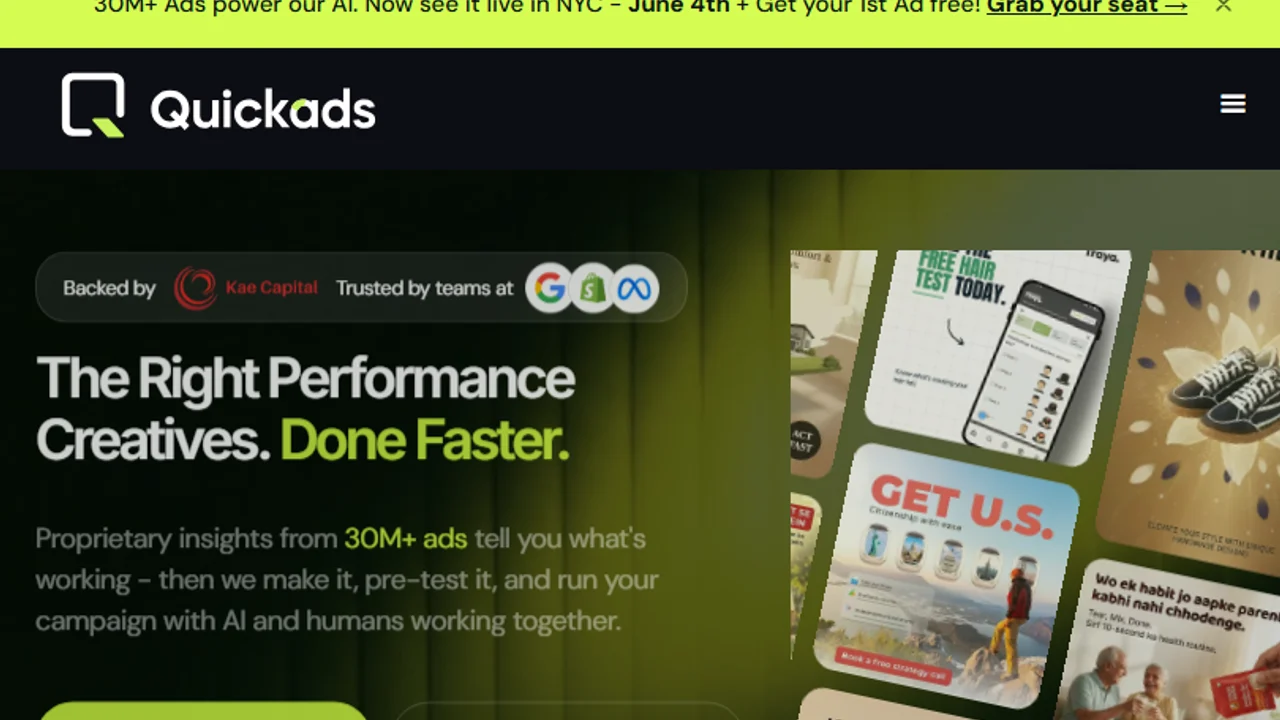
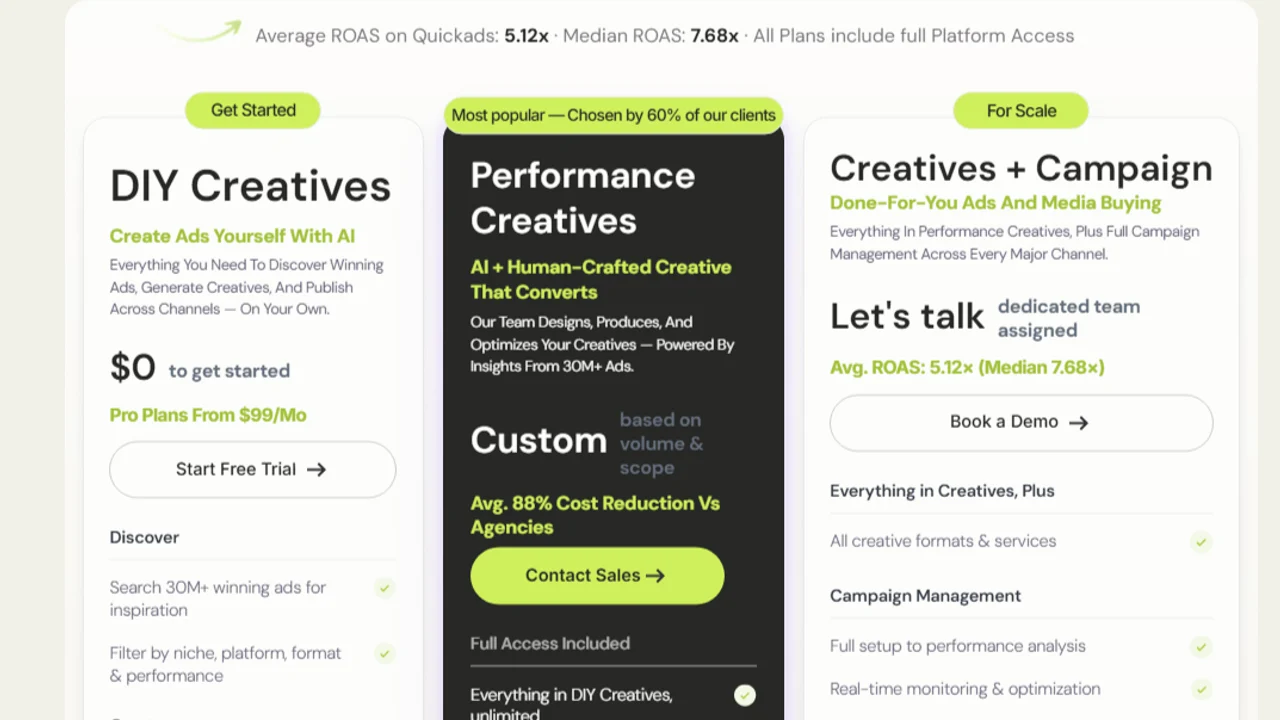
Pricing screenshot note: QuickAds pricing and service packages can change and may vary by region, currency, taxes, billing cycle, promotions, and account type, so verify the current details on the official site before buying.
5. InVideo and Creatify
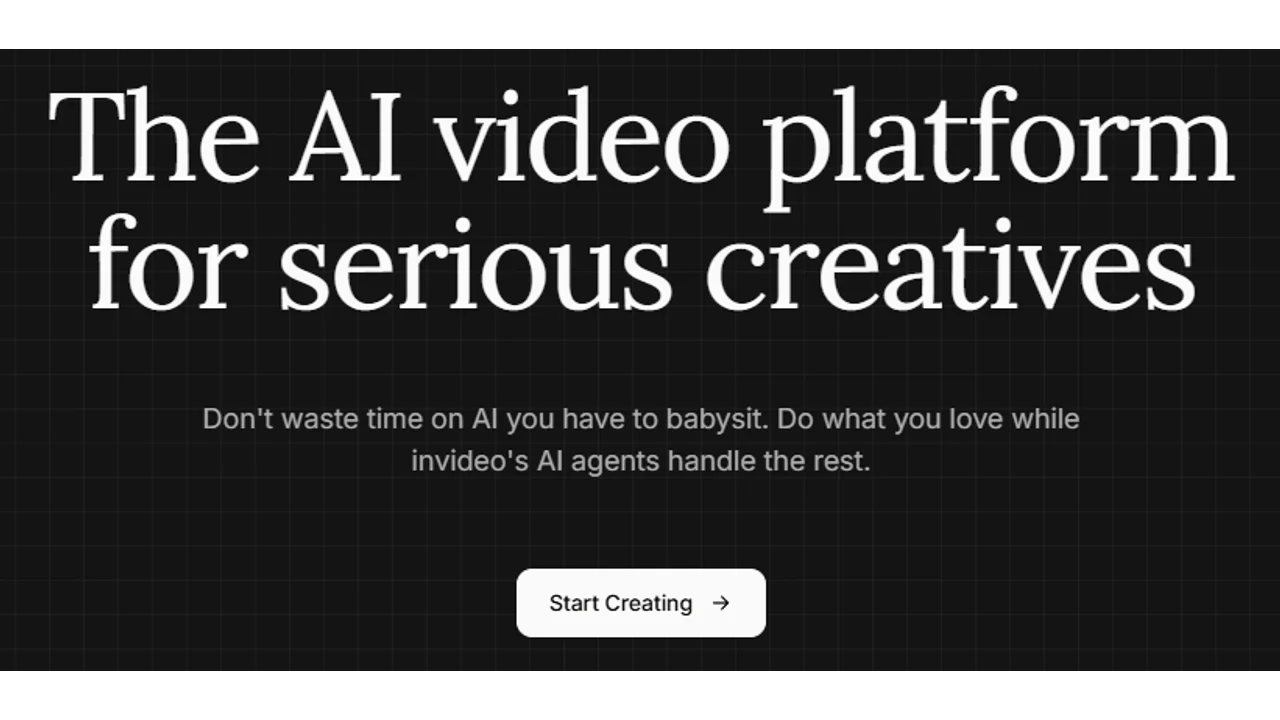
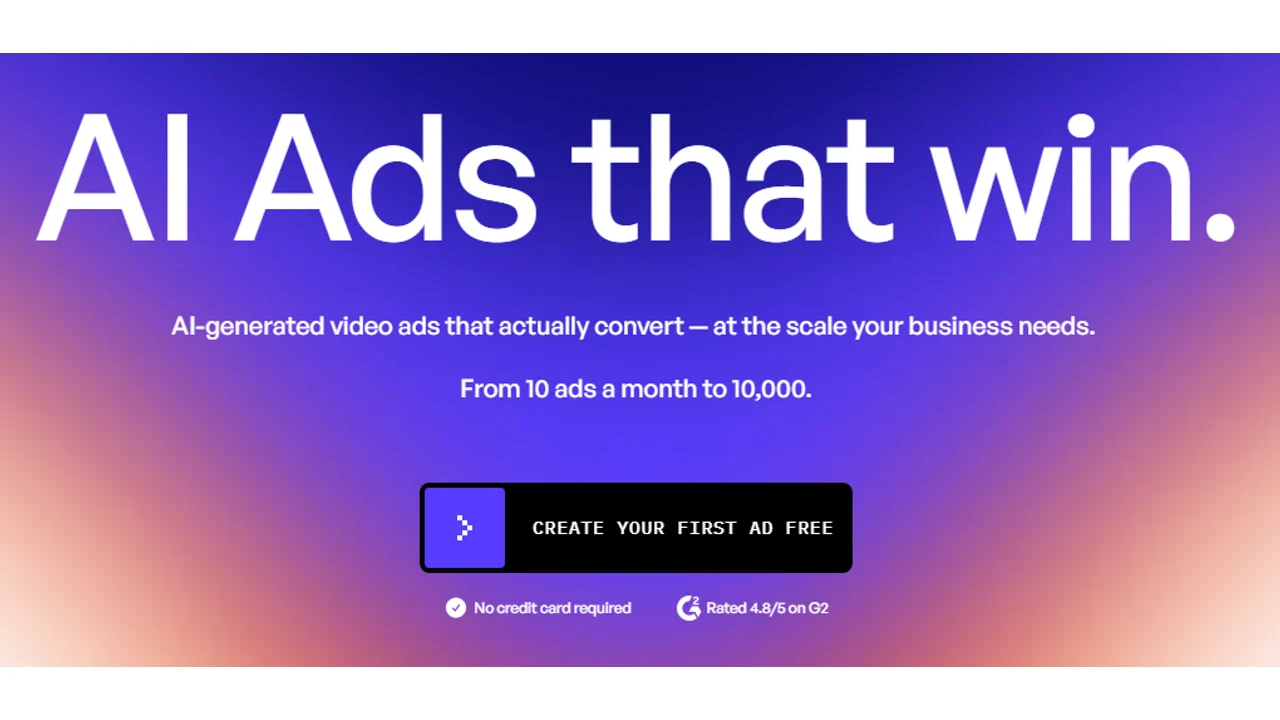
Use video-focused tools when the creative asset needs movement, product demos, or vertical social video. InVideo is relevant when you want to assemble AI-assisted social videos and simple ad drafts quickly, while Creatify is more product-ad oriented.
Best for
- Video ad creatives.
- Product videos.
- TikTok and Reels assets.
- Social cutdowns.
Watch out for
Video tools need extra review for claims, captions, pacing, and platform fit.
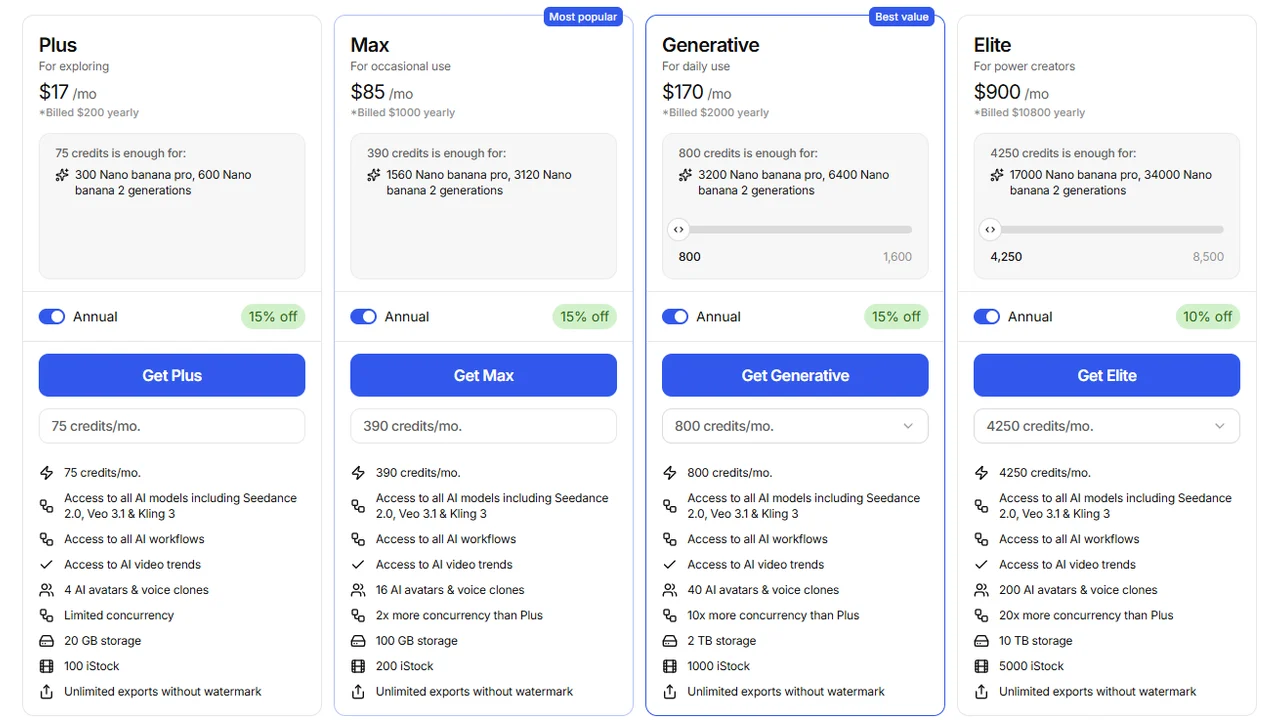
Pricing screenshot note: InVideo prices, credits, and plan limits can change and may vary by region, currency, taxes, billing cycle, promotions, and account type, so verify the current details on the official site before buying.
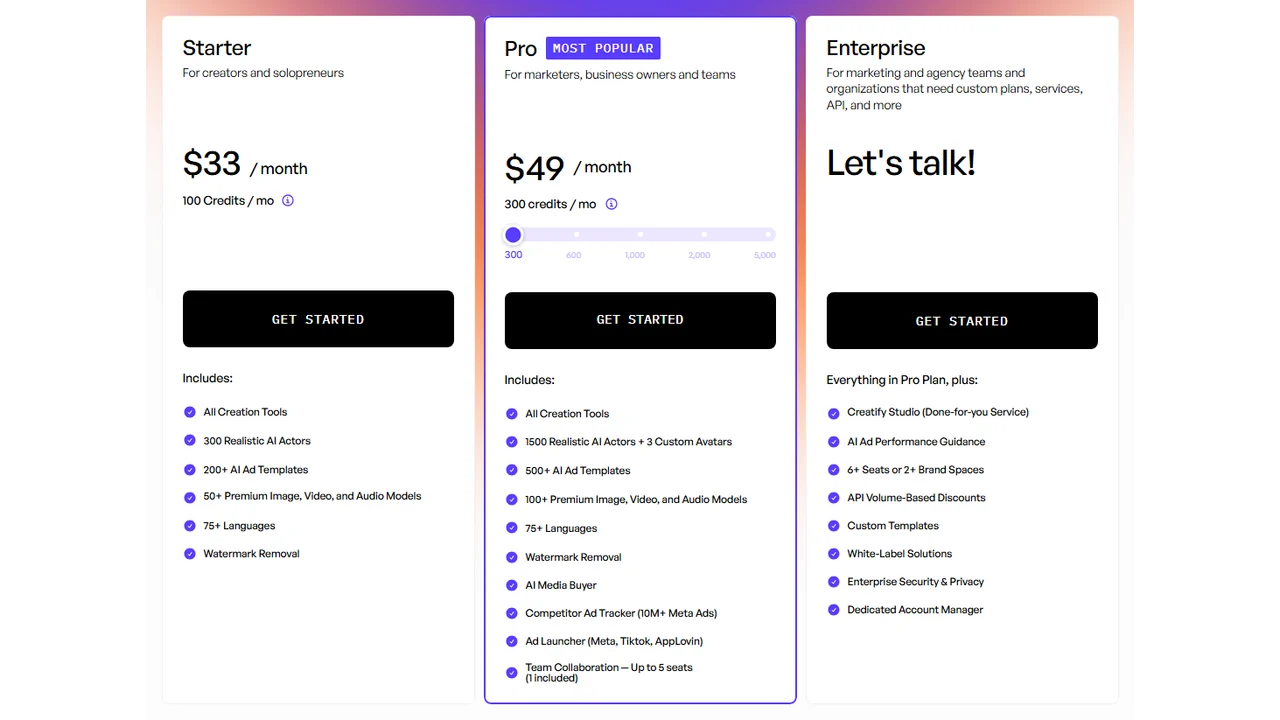
Pricing screenshot note: Creatify prices, credits, AI actor access, template limits, ad guidance, API discounts, and enterprise terms can change and may vary by region, currency, taxes, billing cycle, promotions, and account type, so verify the current details on the official site before buying.
How to choose
- Need general AI ad tools? Read best AI ad generators.
- Need Instagram-specific creative? Read best Instagram ad creator tools.
- Need video tools? Read best AI video ad generators.
- Need ecommerce product video? Read best AI ecommerce video generators.
- Need UGC-style ads? Read best AI UGC ad generators.
FAQ
What is an AI ad creative?
An AI ad creative is an ad asset generated or assisted by AI: an image, copy, layout, banner, video, social variant, or test piece.
What is the best AI ad creative generator?
It depends on the format. AdCreative.ai for statics, Pencil for testing, Canva for simple design, Creatify for product video, and Predis.ai for social.
Is this the same as an AI ad generator?
Not exactly. An ad generator can cover strategy, copy, video, UGC, and the full flow. A creative generator focuses more on the visual asset or variant.
Can I use these tools for Facebook and TikTok?
Yes, but check formats, size, captions, claims, and consistency with the landing page before publishing.
Final recommendation
Use AI ad creative generators to increase the number of usable drafts. Then filter for clarity, accuracy, brand fit, and whether the creative makes the offer easier to understand.